Reviews are independent. Prices are indicative (SGD) and change often — always check the latest price before buying. We may earn a commission from some links.
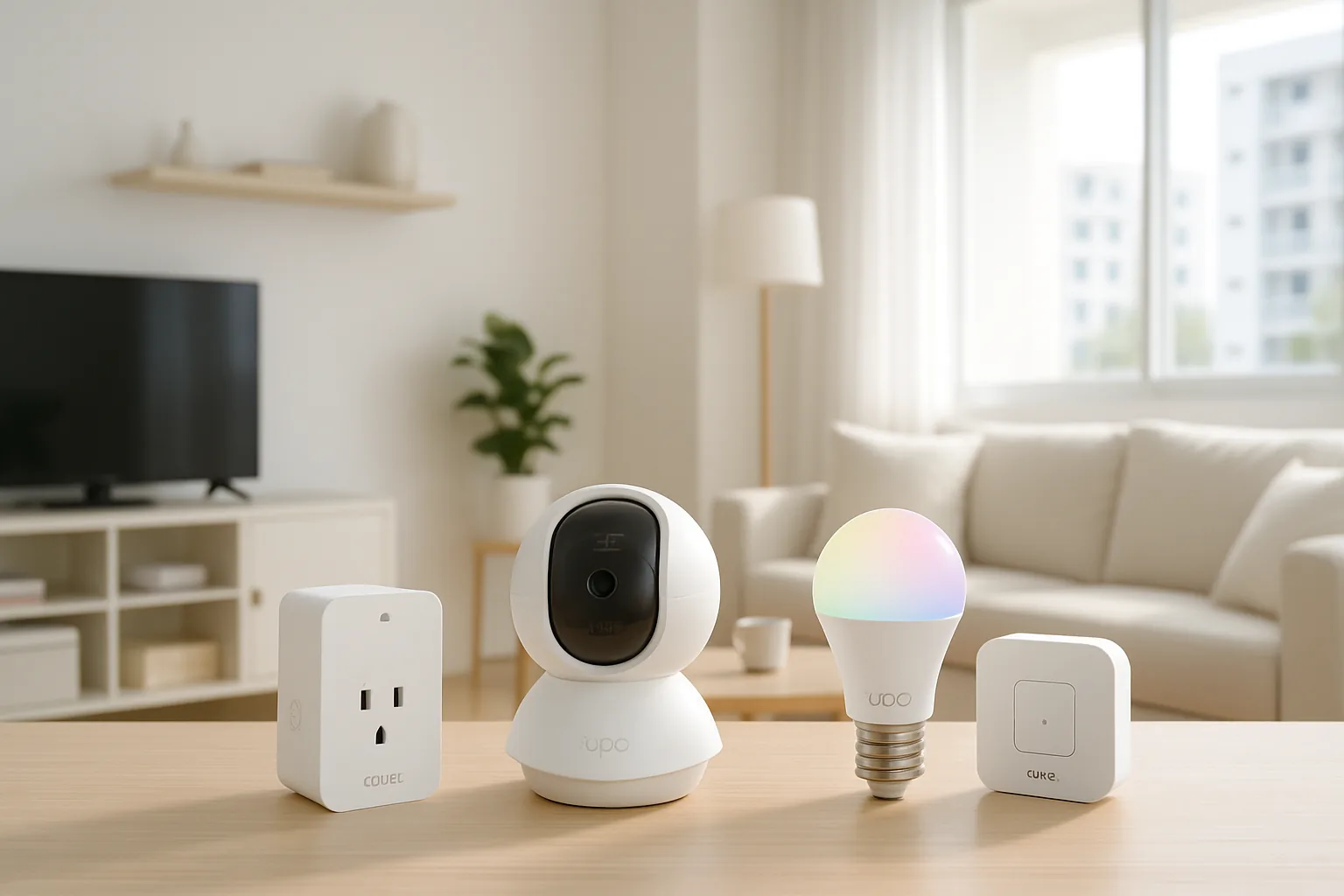
A Tapo smart home is the easiest and most affordable way for Singapore households to get started with connected devices, because TP-Link’s Tapo range covers plugs, cameras, bulbs, switches and sensors that mostly connect straight to Wi-Fi with no hub required. It is the ecosystem most HDB and condo owners cut their teeth on: cheap enough to experiment with, simple to set up in the Tapo app, and wide enough to build a genuinely useful automated flat over time.
This guide is for Singapore homeowners who want a low-cost, low-fuss smart home and are wondering which Tapo devices are actually worth buying first. We picked the Tapo products that deliver the most value for local homes, judged on ease of setup, reliability on a typical HDB router, and how well they play with Google Home and Alexa, and we flagged where adding the Tapo hub makes sense. Prices are indicative SGD ranges that move a lot during sales, so check the latest price before stocking up.
What to look for in Singapore
- Start with hub-free Wi-Fi devices like plugs, cameras and bulbs, which are the cheapest and simplest entry to a Tapo smart home.
- Add the Tapo H100 hub when you want low-power sensors and buttons, which run longer on battery than Wi-Fi devices.
- Check your router can handle many 2.4GHz devices, as a flat full of Wi-Fi gadgets can strain a basic HDB router.
- Prioritise cameras with local microSD or Tapo Care options, and mind privacy and placement in shared corridors.
- Confirm Google Home and Alexa support for the devices you want, and note Tapo has no native Apple Home.
- Pick smart plugs with energy monitoring if you want to track the running cost of aircon, kettles or the fridge.
- For lighting, decide between tunable white and colour bulbs based on whether you want daily white or feature scenes.
- Buy from Tapo’s official SG stores for warranty and firmware support rather than grey imports.
At a glance
| Model | Best for | Key spec | Indicative price | Rating |
|---|---|---|---|---|
| Tapo P110 / P125M smart plug — energy monitor | Overall starter | Wi-Fi plug with energy monitoring, no hub | $18–$35 | ★★★★★ |
| Tapo C210 / C225 indoor camera — home monitoring | Best value camera | Pan-tilt Wi-Fi cam, microSD, night vision | $40–$80 | ★★★★☆ |
| Tapo L530 smart bulb — colour lighting | Best lighting entry | E27 colour + tunable white, no hub | $18–$35 | ★★★★☆ |
| Tapo H100 hub + T100/T110 sensors — automations | Best for sensors | Hub with motion/contact sensors, long battery | $30–$120 set | ★★★★☆ |
The picks
Editor’s Choice
Tapo P110 / P125M smart plug
The Tapo smart plug with energy monitoring is the single best first buy for a Singapore smart home, letting you schedule and remotely switch anything plugged in while tracking its power use. It is perfect for automating the water heater, drying fan or aircon, and for finally seeing which appliance is quietly running up the bill.
Pros
- Cheap, hub-free and instantly useful
- Energy monitoring reveals running costs
- Great for scheduling heaters and fans
Cons
- Bulky plugs can block adjacent sockets
- Wi-Fi-only adds to router load
Best Value Camera
Tapo C210 / C225 indoor camera
Tapo’s pan-tilt indoor cameras are the value pick for keeping an eye on the helper, kids, pets or the front hall, with local microSD recording so you avoid subscription lock-in. They set up in minutes and are among the best-value home cameras sold in Singapore.
Pros
- Affordable pan-tilt coverage
- Local microSD recording, no forced subscription
- Clear night vision for dark rooms
Cons
- Cloud features need Tapo Care
- Mind placement and privacy in shared spaces
Best Lighting Entry
Tapo L530 smart bulb
The L530 colour bulb is the easiest way to add smart lighting to a Tapo home, connecting straight to Wi-Fi with warm-to-cool white for daily use and full colour for scenes. It suits bedside lamps and feature corners where you want mood control without a hub.
Pros
- Colour plus tunable white, no hub
- Very affordable for smart lighting
- Simple scheduling and voice control
Cons
- E27 only, check your fitting
- No native Apple Home support
Best for automations
Tapo H100 hub + T100/T110 sensors
When you’re ready to move from gadgets to real automation, the H100 hub plus motion and contact sensors lets you trigger lights and alerts based on movement or a door opening, with sensors that last far longer on battery than Wi-Fi devices. It is the backbone for a smarter, reactive Tapo flat.
Pros
- Low-power sensors with long battery life
- Enables motion and door-based automations
- Built-in siren option for basic security
Cons
- Adds a hub to the setup
- Sensors are an extra ongoing purchase
The verdict
For an easy, affordable smart home in Singapore, start with a Tapo P110 smart plug and a C210 camera, then add bulbs and the H100 hub with sensors as your automations grow.
Frequently asked questions
Does a Tapo smart home need a hub?
Not to start. Tapo plugs, cameras and bulbs connect directly to your 2.4GHz Wi-Fi with no hub. You only need the Tapo H100 hub when you add low-power devices like motion and contact sensors or the smart button, which use it for longer battery life.
Is Tapo good value compared to other smart-home brands?
Yes — Tapo is one of the best-value ecosystems in Singapore, with plugs, bulbs and cameras that regularly cost less than rivals while remaining reliable. It is the ecosystem most local homes start with before deciding whether to expand.
Will lots of Tapo devices slow down my Wi-Fi?
A flat full of Wi-Fi devices can strain a basic HDB router, since each plug, bulb and camera takes a connection. If you plan a large setup, use a decent router or mesh system, and move low-power sensors onto the Tapo hub to reduce Wi-Fi load.
Does Tapo work with Google Home and Apple Home?
Tapo works with Google Home and Amazon Alexa for voice and routines, but it does not natively support Apple Home. iPhone-centric households who want HomeKit should look at Aqara or add Matter-capable devices instead.
Can Tapo smart plugs track my electricity usage?
Yes, the P110 and similar models include energy monitoring, showing real-time and historical power use in the app. It is a handy way to see how much your aircon, water heater or fridge actually costs to run each month, and many owners use it to catch energy-hungry appliances or set schedules that avoid running the water heater unnecessarily. Over a year, that visibility alone can pay back the modest cost of the plug.
Related guides
- More Smart Home guides
- Best Xiaomi Smart Home Ecosystem in Singapore
- Best Bosch Smart Home in Singapore
Planning a smarter home?
Tell us your space and budget — we’ll point you to the right devices, or connect you with a supplier.

