Reviews are independent. Prices are indicative (SGD) and change often — always check the latest price before buying. We may earn a commission from some links.
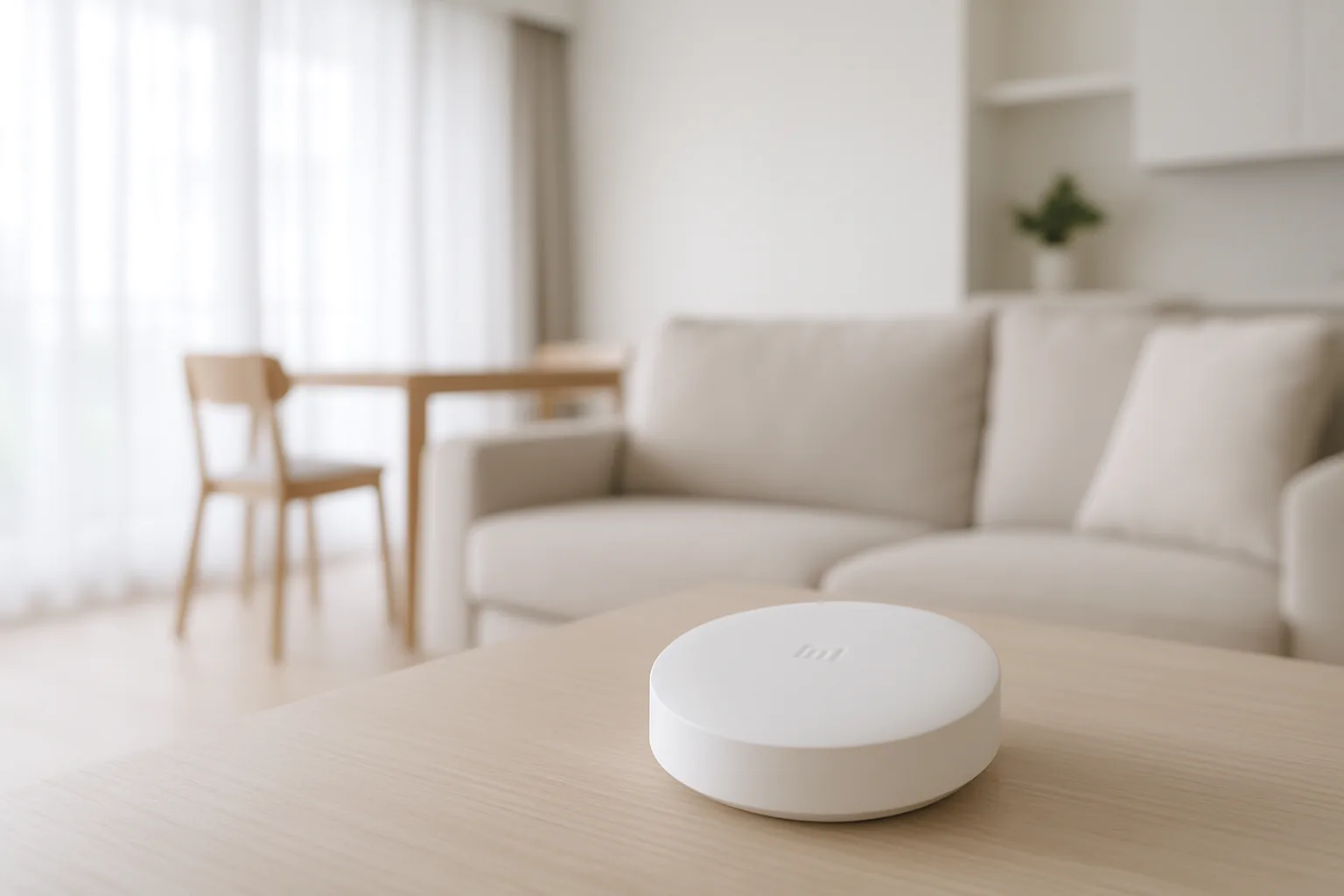
A Mi smart home hub is the small but essential box that lets Xiaomi’s Zigbee and Bluetooth sensors, lights and locks talk to each other and to the internet, and it’s the natural starting point for anyone building a budget-friendly smart home in Singapore. Without a hub, many of Xiaomi’s cheapest and most useful accessories simply can’t connect — so choosing the right one sets the foundation for everything you add later, from motion sensors to smart lights.
This guide is for SG homeowners going down the Xiaomi and Mi route who want to know which hub to buy and how it compares to Aqara and other options for the same ecosystem. We chose picks based on local availability, Matter and multi-platform support (Apple Home, Google Home, Alexa), how many device types each hub can bridge, whether it handles Zigbee locally for speed, and SGD value across Shopee, Lazada and authorised sellers. Getting the hub right early saves a lot of frustration as your system grows.
What to look for in Singapore
- Protocol coverage: check whether the hub supports Zigbee, Bluetooth Mesh and/or Thread, as this determines which accessories will actually connect.
- Matter support: a Matter-capable hub future-proofs your setup and bridges devices into Apple Home, Google Home and Alexa.
- Local versus cloud control: hubs that process Zigbee locally give faster, more reliable automations even if your internet briefly drops.
- App region: confirm the Mi Home or Xiaomi Home app region works smoothly in SG and that your devices are supported here.
- Device capacity: heavier setups with many sensors need a hub rated to handle a larger number of connected devices.
- Wired versus plug-in: a mains-powered hub placed centrally in your flat gives noticeably better Zigbee range across rooms.
- Voice assistant fit: verify Google Assistant or Alexa integration if you want voice control alongside the app.
- Alarm and siren features: some hubs include a built-in siren and night light, a handy basic layer of home security.
At a glance
| Model | Best for | Key spec | Indicative price | Rating |
|---|---|---|---|---|
| Xiaomi Smart Home Hub 2 | Overall | Zigbee + BT + Thread/Matter bridge | $50–$90 | ★★★★½ |
| Xiaomi Smart Home Hub (gen 1) | Value entry | Zigbee + BT, built-in siren | $35–$60 | ★★★★ |
| Aqara Hub M3 | Best for Matter + local | Zigbee/Thread, Matter, IR blaster | $120–$200 | ★★★★½ |
| Aqara Hub M2 | Mid-range bridge | Zigbee, HomeKit, IR control | $70–$120 | ★★★★ |
| Xiaomi Smart Speaker (hub-capable) | Voice + light hub | BT Mesh gateway + voice | $60–$110 | ★★★★ |
The picks
Editor’s Choice
Xiaomi Smart Home Hub 2
The best all-round Mi hub for SG homes: it bridges Zigbee and Bluetooth Xiaomi accessories and adds Thread and Matter support so your devices reach Apple Home, Google Home and Alexa. It’s affordable, central and future-proof, making it the hub we’d point most first-time builders toward.
Pros
- Matter/Thread bridging
- Handles Zigbee + Bluetooth
- Great price for the capability
Cons
- Best placed centrally for range
- App region setup can confuse first-timers
Best Value
Xiaomi Smart Home Hub (gen 1)
A cheaper gateway that still connects the core Zigbee and Bluetooth Xiaomi sensors and adds a handy built-in siren and night light. It’s a solid, low-cost foundation for a first smart-home layer, especially if you don’t yet need Matter or Thread.
Pros
- Very affordable
- Built-in siren + night light
- Good for starter setups
Cons
- No Thread/Matter
- Fewer future-proofing options
Best for Matter + local control
Aqara Hub M3
If you want the most capable hub in the same Xiaomi-adjacent ecosystem, the Aqara M3 adds strong local Zigbee and Thread control, Matter bridging and an IR blaster to control aircon and TVs. It plays well with Xiaomi and Aqara devices alike, and the local control keeps automations snappy.
Pros
- Powerful Matter + Thread bridge
- IR blaster for aircon/TV
- Robust local control
Cons
- Pricier than Mi hubs
- Overkill for tiny setups
Best mid-range bridge
Aqara Hub M2
A dependable mid-tier hub that bridges Zigbee accessories into Apple HomeKit and includes IR control, making it a popular companion for mixed Xiaomi and Aqara homes. It’s a good balance of features and price when the M3 is more than you need.
Pros
- HomeKit bridging
- IR control included
- Reliable Zigbee range
Cons
- No Thread
- Costlier than the gen-1 Mi hub
Best voice + hub combo
Xiaomi Smart Speaker (hub-capable)
Certain Xiaomi smart speakers double as a Bluetooth Mesh gateway while also giving you voice control, so you get a hub and an assistant in one device. It’s a neat space-saver for smaller flats that want voice commands alongside basic accessory bridging.
Pros
- Voice control + gateway in one
- Space-saving
- Good for small flats
Cons
- Limited to Bluetooth Mesh devices
- Not a full Zigbee hub
The verdict
Start with the Xiaomi Smart Home Hub 2 for the best mix of price and Matter-ready future-proofing; if you want the most powerful local control in the same ecosystem, step up to the Aqara Hub M3.
Frequently asked questions
Do I need a Mi hub for Xiaomi smart home devices?
For Wi-Fi Xiaomi devices you don’t, but many of Xiaomi’s cheapest and most useful accessories use Zigbee or Bluetooth Mesh and need a hub to connect. If you’re building around sensors, buttons and Zigbee lights, a hub is essential, and one hub supports many accessories so the cost spreads out.
Does the Xiaomi Smart Home Hub 2 support Matter?
Yes, the Hub 2 adds Thread and Matter bridging, which lets compatible Xiaomi devices appear in Apple Home, Google Home and Alexa. That makes it the more future-proof choice over the older gen-1 hub, especially if you plan to mix brands later.
Can I use Xiaomi and Aqara devices on the same hub?
Often yes, since both use Zigbee and there’s overlap between the Xiaomi Home and Aqara ecosystems, though not every device is cross-supported. Many SG users run an Aqara hub for richer local control while still using Xiaomi accessories, so check compatibility per device.
Will a Mi hub work in Singapore’s app region?
Yes, but set the Xiaomi Home app to a region where your devices are supported and be consistent, as mixing regions can cause some accessories not to appear. Most SG users find a Singapore or nearby region works well, so pick one and stick with it.
Is a hub better than Wi-Fi smart devices?
For a few gadgets, Wi-Fi is simpler with no hub needed. But once you have many sensors, a hub gives faster local automations, better battery life on accessories, and more reliable operation even if your internet briefly drops — which is why serious setups almost always use one.
Related guides
Planning a smarter home?
Tell us your space and budget — we’ll point you to the right devices, or connect you with a supplier.