Reviews are independent. Prices are indicative (SGD) and change often — always check the latest price before buying. We may earn a commission from some links.
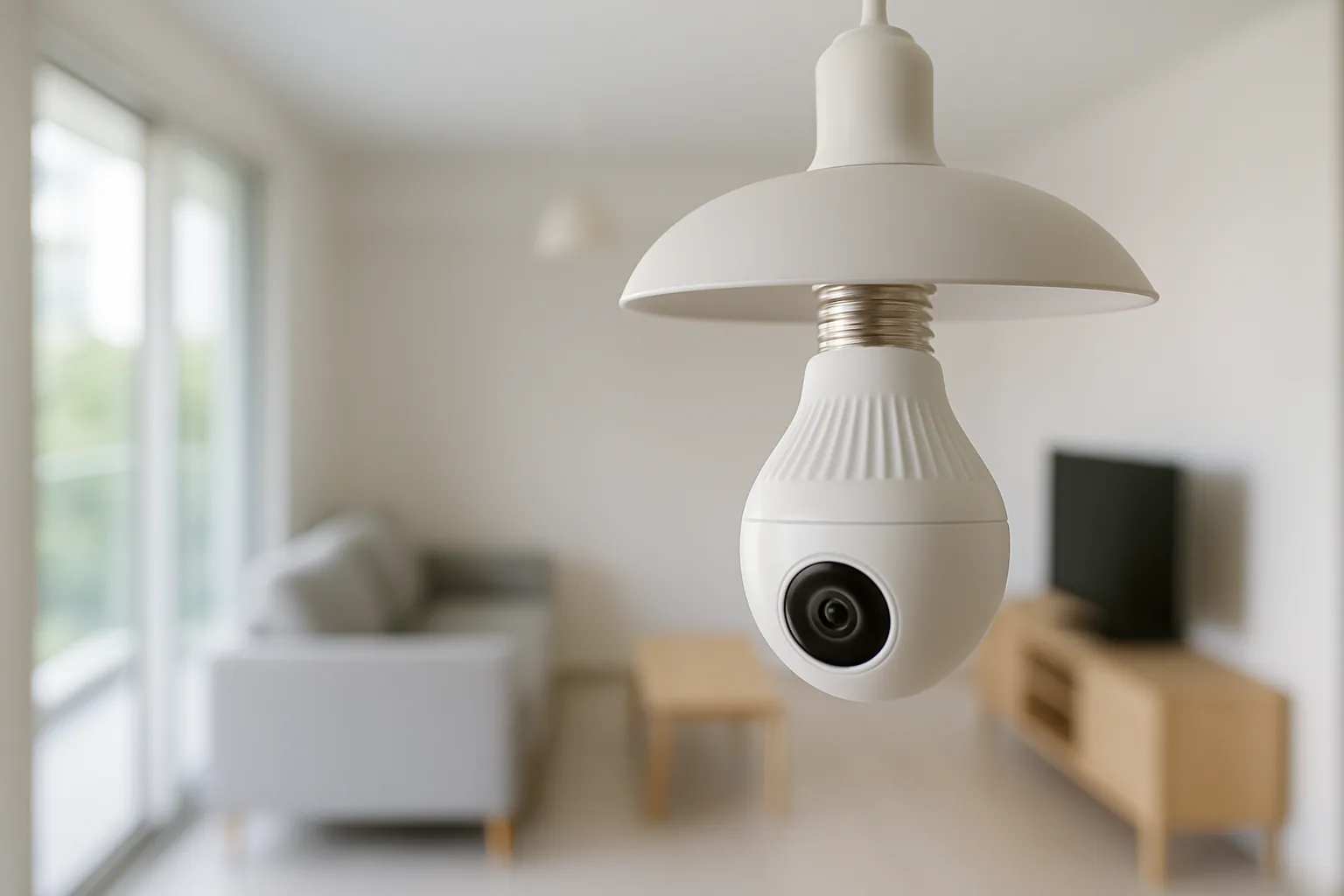
A smart light bulb camera is exactly what it sounds like — a security camera built into a bulb-shaped housing that screws into a standard E27 light socket, drawing power from the fitting while streaming video to your phone. It’s a clever, low-effort way to add a wide-angle or 360-degree camera to a corridor, store room or porch in a Singapore home without running any new wiring, though it comes with real trade-offs that are worth understanding before you buy one.
This guide is for HDB and condo owners wondering what a smart light bulb camera is, how it works, and whether it’s the right choice versus a proper dedicated camera. We explain the concept honestly, then recommend real, SG-available options — being clear that most bulb cameras are generic Tuya and Smart Life units, so for serious security we also point you to trusted dedicated cameras that offer better reliability, night vision and privacy. The goal is to help you pick the right tool for the job rather than a novelty.
What to look for in Singapore
- Socket power versus battery: a bulb camera only works while the socket has power, so it can’t record if the light switch is off — a key limitation to plan around.
- Placement: it screws into an E27 socket, so it’s fixed to wherever your light fitting is, usually a ceiling or exterior porch point.
- Field of view: many are fisheye or 360-degree units, so check the coverage and whether the distortion suits your space.
- Storage: look for local microSD storage and optional cloud so you’re not forced into a subscription.
- Brand and privacy: most bulb cameras are generic Tuya-based, so prefer reputable brands and check data handling if privacy matters to you.
- Weatherproofing: for a porch or exposed socket, confirm an IP rating suited to SG rain and humidity.
- Wi-Fi and app: ensure reliable 2.4GHz Wi-Fi at the socket and a stable app with alerts and two-way talk.
- HDB and MCST rules: cameras should point at your own space, not shared corridors or neighbours, so check the rules before mounting.
At a glance
| Model | Best for | Key spec | Indicative price | Rating |
|---|---|---|---|---|
| Generic Tuya / Smart Life bulb camera | True bulb-camera form | E27 socket, 360°, local + cloud | $25–$60 | ★★★☆ |
| TP-Link Tapo pan/tilt camera | Reliable indoor alternative | 2K, 360° pan, local + cloud | $40–$90 | ★★★★½ |
| Xiaomi Smart Camera C series | Budget dedicated camera | 2K, pan/tilt, app view | $40–$90 | ★★★★ |
| eufy indoor/outdoor camera | No-subscription security | Local storage, weatherproof options | $120–$300 | ★★★★½ |
| Aqara Camera Hub | Smart-home + hub-in-one | Camera + Zigbee hub, HomeKit | $70–$180 | ★★★★ |
The picks
The actual bulb camera
Generic Tuya / Smart Life bulb camera
This is the product the term describes: a 360-degree camera in an E27 bulb housing that screws into a light socket and streams to the Smart Life app. It’s cheap and easy, but quality varies and it stops recording whenever the light switch is off, so it’s fine for casual monitoring but not serious security.
Pros
- No wiring, screws into socket
- Cheap and easy
- 360-degree coverage
Cons
- Only records when the socket is powered
- Generic brand, variable quality and privacy
Editor’s Choice alternative
TP-Link Tapo pan/tilt camera
For most SG homes wanting reliable monitoring, a dedicated Tapo pan-and-tilt camera beats a bulb camera — sharp 2K video, 360-degree pan, local microSD storage and a stable app, all at a similar price. It’s powered independently, so it keeps recording regardless of whether your lights are on or off.
Pros
- Records independently of the lights
- 2K with 360-degree pan
- Local + optional cloud storage
Cons
- Needs its own power point
- Indoor-focused models
Best budget dedicated cam
Xiaomi Smart Camera C series
A well-priced dedicated camera with 2K video and pan-and-tilt that’s widely available in SG and integrates with the Xiaomi ecosystem. It’s a dependable, low-cost step up from a novelty bulb camera, giving you proper monitoring that ties into the same app as your other Xiaomi devices.
Pros
- Great value
- 2K pan/tilt
- Xiaomi ecosystem fit
Cons
- App region setup needed
- Mostly indoor use
Best no-subscription security
eufy indoor/outdoor camera
If you want proper security with privacy in mind, eufy’s cameras use local storage with no forced subscription and offer weatherproof options for porches and balconies. It’s a far more trustworthy choice than a generic bulb camera when the goal is real protection rather than casual peeking.
Pros
- Local storage, no mandatory fee
- Weatherproof options
- Strong privacy stance
Cons
- Higher upfront cost
- Battery models need recharging
Best for smart-home users
Aqara Camera Hub
A camera that doubles as an Aqara Zigbee hub, so it monitors your home and connects your sensors and lights at the same time. It’s a neat pick if you’re already in the Aqara or Apple Home ecosystem and would rather not buy a separate hub and camera.
Pros
- Camera + Zigbee hub in one
- HomeKit support
- Good for existing Aqara homes
Cons
- Mostly indoor focus
- Ties you to the ecosystem
The verdict
A smart light bulb camera is a cheap, wire-free way to add casual 360-degree monitoring via a light socket, but it only records when the light is on and is mostly generic — for reliable home security in Singapore, a dedicated Tapo, Xiaomi or eufy camera is the better buy.
Frequently asked questions
What is a smart light bulb camera and how does it work?
It’s a security camera built into an E27 bulb-shaped housing that screws into a light socket, drawing power from the fitting and streaming 360-degree video to an app over Wi-Fi. Because it relies on socket power, it only records when that socket is switched on, which is its biggest practical limitation.
Do smart bulb cameras give light like a real bulb?
Some include an LED light element, but many are camera-first and provide little or no useful illumination. If you need both proper lighting and a camera, a separate smart bulb plus a dedicated camera usually works better than trying to get both from one bulb-shaped device.
Are smart light bulb cameras good for home security in Singapore?
They’re fine for casual, low-stakes monitoring, but not ideal for serious security because they stop recording when the light is off and are mostly generic brands with variable quality and privacy. For real protection, a dedicated camera like Tapo or eufy is the safer, more reliable choice.
Do bulb cameras need a subscription?
Not necessarily — many support local microSD storage, with optional cloud plans on top. Check the specific model, and prefer one with local storage if you want to avoid recurring fees and keep your footage in your own hands.
Can I put a bulb camera in my HDB corridor?
Cameras should point at your own unit, not shared corridors or neighbours’ doors, and common-area installations may need town-council approval. A bulb camera fixed to a corridor light could raise privacy issues, so keep coverage to your own space and check the rules first to avoid complaints.
Related guides
Planning a smarter home?
Tell us your space and budget — we’ll point you to the right devices, or connect you with a supplier.

