Reviews are independent. Prices are indicative (SGD) and change often — always check the latest price before buying. We may earn a commission from some links.
Learning how to choose a smart light bulb is mostly about matching four things to your home: the socket base, whether you want white or colour, how the bulb connects, and which voice assistant you already use. In Singapore, where most people rent or renovate around fixed HDB and condo fittings, picking the right bulb means you get app scheduling, dimming and voice control without rewiring or regret. This guide breaks down the decisions in plain English and recommends the real bulb families that suit local homes.
It is written for first-time buyers who feel overwhelmed by E27, E14, GU10, Zigbee, Wi-Fi and hubs. We explain what actually matters for an SG flat — base fit, hub-or-no-hub, colour needs, dimming quality and ecosystem — then point you to trusted brands you can buy locally. Prices are indicative SGD ranges and change with promotions, so treat them as guidance and check the latest price before buying.
What to look for in Singapore
- Identify your socket base first — E27 (large screw), E14 (candle screw), GU10 (twist-lock spotlight) or B22 bayonet — because a smart bulb must physically fit.
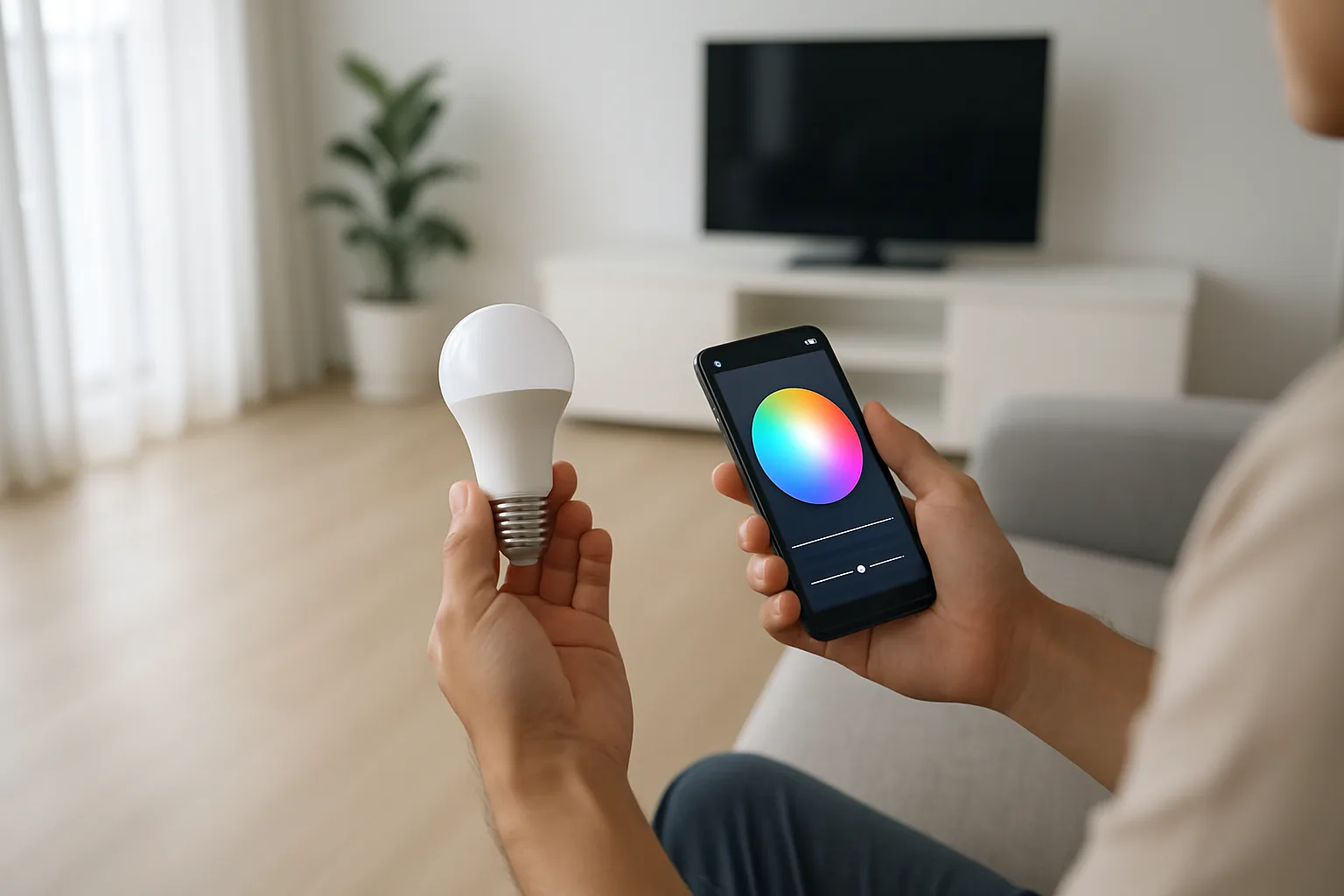
- Decide white-only versus full colour; tunable white suits most rooms, while colour is for mood, kids’ rooms and feature walls.
- Choose your connection type: Wi-Fi bulbs need no hub (great for renters), while Zigbee bulbs (Hue, IKEA, Aqara) need a hub but are more reliable at scale.
- Pick an ecosystem and stick to it — Google Assistant and Alexa are the common voice options in Singapore homes.
- Check brightness in lumens, not watts, and buy enough bulbs for the room rather than expecting one to light a whole living area.
- Look for smooth, flicker-free low-end dimming for bedrooms and dining areas.
- Prefer brands with local warranty and stock (Philips, IKEA, Tapo, Xiaomi) so replacements and support are easy.
- Consider whether you also want a smart switch, so wall switches do not cut power and ‘break’ the smart bulb.
At a glance
| Model | Best for | Key spec | Indicative price | Rating |
|---|---|---|---|---|
| TP-Link Tapo (Wi-Fi) | Beginners / renters | No hub, Google/Alexa | $15–$30 | ★★★★½ |
| Philips Hue | Best overall system | Zigbee hub, top app | $30–$80/bulb | ★★★★★ |
| IKEA smart bulbs (DIRIGERA) | Best value at scale | Zigbee hub, cheap bulbs | $12–$40 | ★★★★ |
| Xiaomi / Yeelight | Budget colour | Wi-Fi, Mi Home | $15–$35 | ★★★★ |
| Aqara | Smart-home tinkerers | Zigbee, deep automations | $20–$50 | ★★★★ |
The picks
Best for beginners
TP-Link Tapo (Wi-Fi bulbs)
Tapo is the easiest starting point for anyone new to smart lighting — the bulbs connect straight to your home Wi-Fi with no hub, the app is simple, and they work with Google and Alexa out of the box. For renters and single-room setups in Singapore, this is the lowest-friction way in. Buy a couple, try them, and expand only if you like it.
Pros
- No hub required
- Cheap and simple app
- Google/Alexa ready
Cons
- Wi-Fi can get crowded with many bulbs
- Fewer accessories than Hue
Best overall system
Philips Hue
If you plan to light a whole home and want it to just work for years, Philips Hue is the gold standard — a stable Zigbee hub, the best app, superb colour and a huge range of bulbs, strips and switches. It costs more upfront, but the reliability and scale are worth it for a serious setup. This is the system to grow into.
Pros
- Most reliable at whole-home scale
- Best app and colour quality
- Widest accessory range
Cons
- Higher cost
- Needs the Hue Bridge
Best value at scale
IKEA smart bulbs (DIRIGERA)
When you need to fit many bulbs — a full ceiling of downlights or every room in a flat — IKEA’s DIRIGERA-based bulbs give you Zigbee reliability at the lowest per-bulb price in Singapore. The app is basic but does scenes, schedules and voice. A brilliant middle path between cheap Wi-Fi bulbs and premium Hue.
Pros
- Lowest cost per bulb
- Zigbee reliability with a hub
- Easy to buy locally at IKEA
Cons
- App less advanced than Hue
- Colour accuracy is good, not great
Budget colour
Xiaomi / Yeelight
For cheap colour bulbs, Xiaomi and Yeelight are hard to beat and are all over Lazada and Shopee. Many are Wi-Fi and hub-free, linking to Mi Home plus Google or Alexa. They are ideal for accent lighting, kids’ rooms and anyone who wants colourful scenes without spending Hue money. Just verify Singapore server support at setup.
Pros
- Very affordable colour
- Often no hub needed
- Widely available online
Cons
- App experience varies
- Support less local than Philips
The verdict
Start with Tapo Wi-Fi bulbs if you are new or renting; step up to Philips Hue when you want a reliable whole-home system, and reach for IKEA when you need many affordable bulbs at once.
Frequently asked questions
Do I need a hub for smart light bulbs?
Not always. Wi-Fi bulbs like Tapo and Xiaomi connect directly to your router with no hub, which suits renters and small setups. Zigbee systems like Philips Hue and IKEA need a hub but are more reliable once you have many bulbs across a whole home.
What is the difference between white and colour smart bulbs?
Tunable white bulbs adjust from warm to cool white and suit everyday living, bedrooms and kitchens. Colour (RGB) bulbs add mood lighting and scenes, which is great for feature walls and kids’ rooms but costs more, so buy colour only where you will use it.
Will smart bulbs still work if someone flips the wall switch?
Only if the switch stays on — cutting power at the wall makes the bulb unresponsive until it is switched back. To avoid this, use a smart switch or a wireless remote, or leave the wall switch on and control the bulb by app or voice.
Which smart bulbs work best with Google Home in Singapore?
Tapo, Philips Hue, IKEA, Xiaomi and Aqara all integrate with Google Assistant and Alexa. Pick your bulb brand first for fit and budget, then confirm it lists Google or Alexa support before buying.
Are smart bulbs expensive to run?
No — they are LED, so they sip electricity, and the standby draw for connectivity is tiny. The bigger cost is the upfront bulb price, which is why matching the right bulb to each room from the start saves money.
Related guides
Planning a smarter home?
Tell us your space and budget — we’ll point you to the right devices, or connect you with a supplier.