Reviews are independent. Prices are indicative (SGD) and change often — always check the latest price before buying. We may earn a commission from some links.
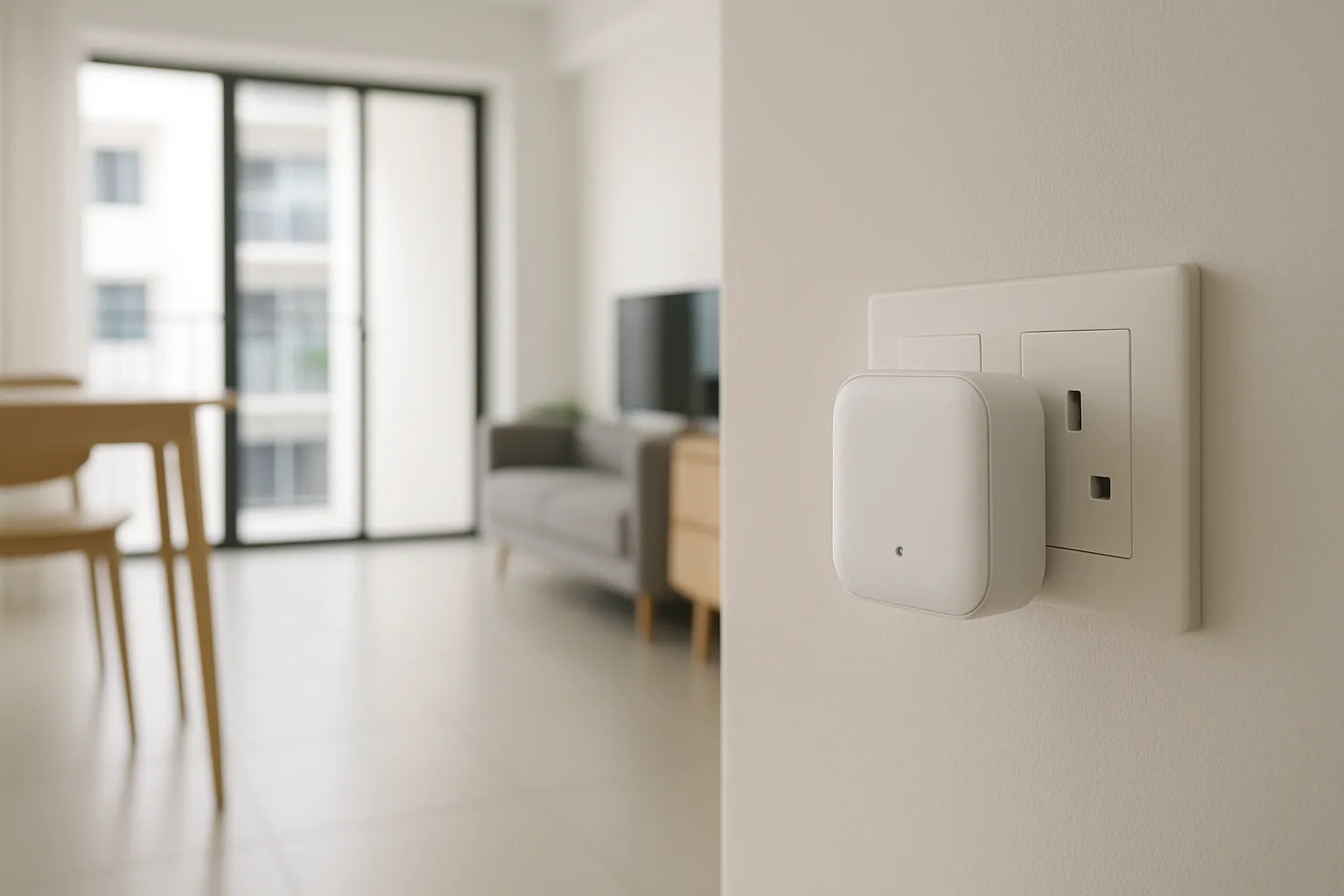
A smart lock gateway like the G2 is the small Wi-Fi bridge that turns a Bluetooth-only digital lock into a fully remote-controllable one — letting you unlock from your phone anywhere, send guest PINs and check entry logs in real time. Many Tuya and Smart Life-based locks sold in Singapore ship with, or support, a ‘Gateway G2’ style bridge, and choosing the right one (or the right ecosystem hub) makes all the difference to how reliably those remote features actually work.
This guide is for SG homeowners who bought a Bluetooth digital lock and now want remote features, or who are matching a gateway to a specific lock brand. We chose picks based on local availability, which lock apps and brands each gateway supports, Wi-Fi stability across HDB and condo layouts, ease of pairing, and SGD value — while being clear that a gateway must match your lock’s ecosystem to work at all. Buy the wrong bridge and it simply won’t connect, no matter how good it looks.
What to look for in Singapore
- Ecosystem match: a gateway only works with locks on the same app or protocol, so confirm your lock’s brand (Tuya/Smart Life, Aqara, Ultraloq and so on) before buying.
- Wi-Fi band support: check it works on your router’s 2.4GHz band, which most gateways require, and place it within range of the lock.
- Supported features: verify the gateway enables the specific features you want — remote unlock, guest PINs, real-time logs and alerts.
- Placement and range: position the gateway between your router and the lock, as thick HDB walls can weaken the Bluetooth-to-Wi-Fi bridge.
- App reliability: a stable, well-maintained app and the correct region setting matter for consistent remote access.
- Power source: most gateways plug into a mains socket near the door, so make sure you have one available in the right spot.
- Multi-lock support: if you have more than one lock, check how many the single gateway can bridge at once.
- Local support: buy from a seller who can confirm compatibility, since a mismatched gateway will never connect to your lock.
At a glance
| Model | Best for | Key spec | Indicative price | Rating |
|---|---|---|---|---|
| Tuya / Smart Life Wi-Fi Gateway (G2) | Tuya-based locks | BT-to-Wi-Fi bridge, 2.4GHz | $25–$60 | ★★★★ |
| Aqara Hub M3 / M2 | Aqara U-series locks | Zigbee/Thread, Matter, remote + logs | $70–$200 | ★★★★½ |
| Ultraloq Bridge (Wi-Fi) | Ultraloq / U-tec locks | Wi-Fi remote unlock + logs | $60–$120 | ★★★★ |
| Brand OEM gateway (Kaadas / Philips) | Matched brand locks | Vendor-specific remote bridge | $40–$100 | ★★★★ |
| eufy / SwitchBot Wi-Fi bridge | Their own locks | Ecosystem remote access | $40–$90 | ★★★★ |
The picks
Editor’s Choice
Tuya / Smart Life Wi-Fi Gateway (G2)
If your digital lock runs on the Tuya or Smart Life app — as many marketplace locks in SG do — this is the gateway that unlocks remote control, guest PINs and logs. It’s cheap and effective, but it only works with Tuya-ecosystem locks, so confirm your lock’s app first before you buy.
Pros
- Enables remote unlock + logs
- Very affordable
- Works with many Tuya locks
Cons
- Only for Tuya/Smart Life locks
- 2.4GHz Wi-Fi and placement dependent
Best for ecosystem homes
Aqara Hub M3 / M2
For Aqara U-series locks, an Aqara hub is the gateway — adding remote unlock, logs and automations plus Matter bridging into Apple Home and Google Home. It’s the most capable option if you’re building a wider smart home, and it doubles as the hub for all your other Aqara devices.
Pros
- Remote access + rich automations
- Matter/Thread bridging
- Robust local control
Cons
- Only for Aqara locks
- Pricier than a basic bridge
Best for Ultraloq locks
Ultraloq Bridge (Wi-Fi)
The matched Wi-Fi bridge for Ultraloq and U-tec locks, enabling remote unlock, guest access and entry alerts through the Ultraloq app. It’s simple and reliable when paired with the right lock, and it’s the correct choice if you already own an Ultraloq unit.
Pros
- Clean Ultraloq integration
- Remote unlock + alerts
- Easy pairing
Cons
- Only for Ultraloq/U-tec locks
- Needs mains socket near door
Best matched-brand option
Brand OEM gateway (Kaadas / Philips)
Many premium lock brands sell their own Wi-Fi gateway designed specifically for their locks, giving the most reliable remote features within that brand’s app. Always buy the gateway made for your exact lock model, as a matched bridge avoids the pairing headaches of generic units.
Pros
- Best fit for the matched lock
- Vendor-supported reliability
- Clean app experience
Cons
- Brand-locked
- Model compatibility must be exact
Best for eufy / SwitchBot
eufy / SwitchBot Wi-Fi bridge
If your lock is a eufy or SwitchBot model, their own Wi-Fi bridge is what adds remote unlock, alerts and guest access through the matching app. It’s a straightforward, well-supported way to extend a Bluetooth lock in those ecosystems without third-party guesswork.
Pros
- Clean ecosystem integration
- Remote access + alerts
- Simple setup
Cons
- Only for their own locks
- Needs a nearby mains socket
The verdict
Match the gateway to your lock: a Tuya/Smart Life G2 bridge for Tuya-based locks, an Aqara hub for Aqara U-series, or the brand’s own OEM or eufy/SwitchBot bridge — buying the wrong ecosystem’s gateway simply won’t connect.
Frequently asked questions
What does a smart lock gateway G2 actually do?
It bridges your Bluetooth-only digital lock to your home Wi-Fi, enabling remote unlock from anywhere, remotely issued guest PINs, and real-time entry logs and alerts. Without it, a Bluetooth lock only works within phone range at the door, so the gateway is what makes away-from-home control possible.
Will any G2 gateway work with my lock?
No — a gateway must match your lock’s app and protocol. A Tuya/Smart Life ‘G2’ bridge works with Tuya-ecosystem locks, Aqara locks need an Aqara hub, and Ultraloq needs its own bridge. Confirm your lock’s brand before buying, because a mismatched gateway simply won’t pair.
Does the gateway need to be near the lock?
Yes — place it within Bluetooth range of the lock and within Wi-Fi range of your router, ideally between the two. Thick HDB walls can weaken the link, so a nearby mains socket by the door is usually the best and most reliable spot.
Does a lock gateway use 2.4GHz or 5GHz Wi-Fi?
Most smart lock gateways use the 2.4GHz band for range and compatibility, not 5GHz. Make sure your router broadcasts a 2.4GHz network the gateway can join during setup, as this is a common reason pairing fails on mesh systems.
Is a gateway worth it, or should I buy a Wi-Fi lock?
If your existing lock is Bluetooth-only, a matching gateway is the cheapest way to add remote features without replacing the lock. If you’re buying new and want remote control out of the box, a lock with built-in Wi-Fi avoids the extra device and setup altogether.
Related guides
Planning a smarter home?
Tell us your space and budget — we’ll point you to the right devices, or connect you with a supplier.

