Reviews are independent. Prices are indicative (SGD) and change often — always check the latest price before buying. We may earn a commission from some links.
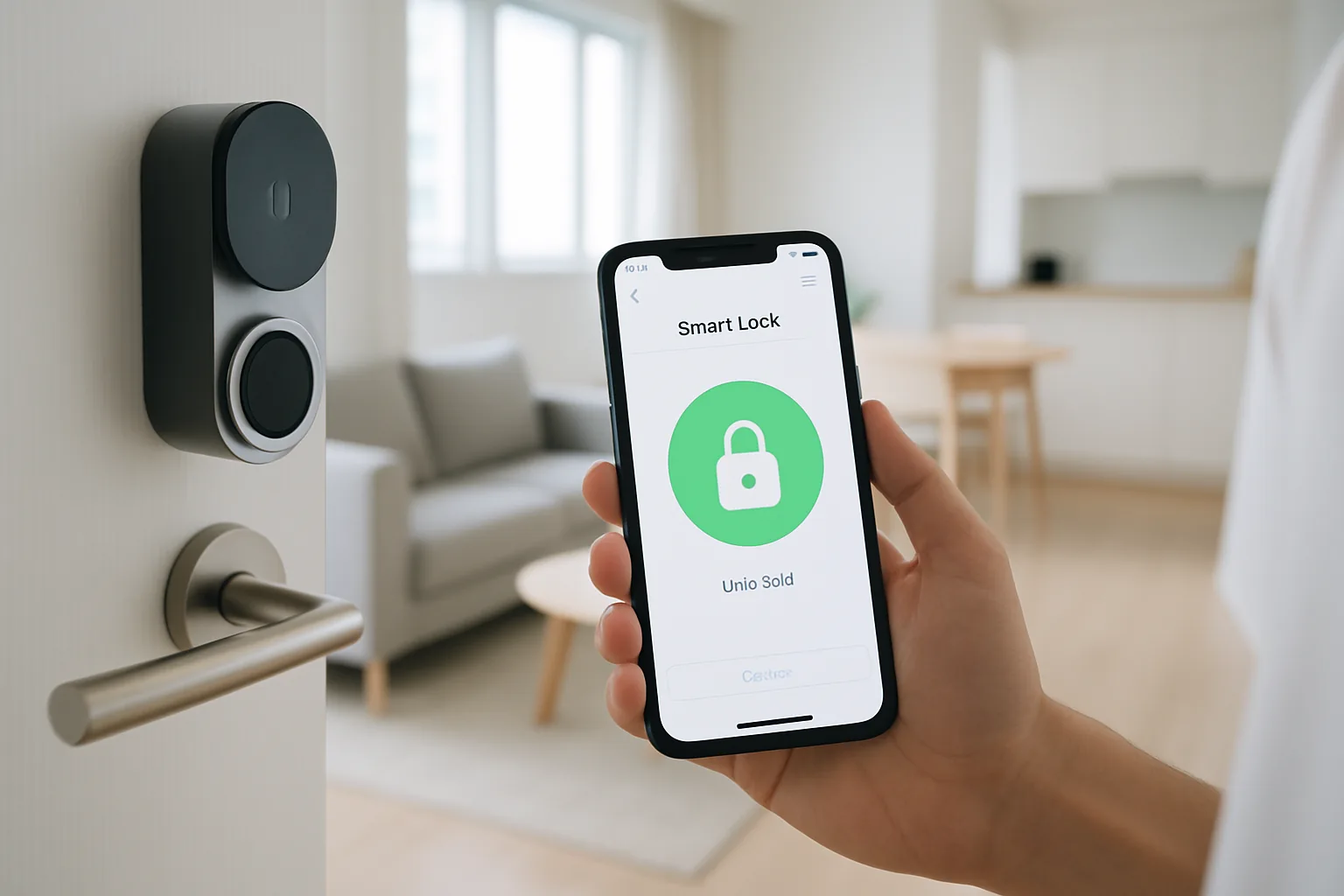
The best smart lock app can make or break your daily experience with a digital lock, because it is what you use to grant guest access, check the door history and unlock remotely when a delivery arrives. In Singapore, where digital locks are hugely popular on HDB and condo front doors, the quality of the companion app varies a lot between brands — some are slick and reliable, others clunky and slow. This guide compares smart locks by the strength of their apps, so you choose a lock you will actually enjoy using every day.
We wrote this for homeowners who care as much about software as hardware, and who want remote access, temporary PINs and access logs that just work. Our picks weigh app reliability, remote features, ease of sharing access, ecosystem support and SGD value. If the app experience is your priority, this roundup points you to the locks with the best software in Singapore.
What to look for in Singapore
- App reliability: the app should connect quickly and consistently every time, not fail when you are standing at the door.
- Remote unlocking: Wi-Fi or a bridge lets you unlock or issue PINs from anywhere, useful for guests and deliveries.
- Temporary and scheduled access: look for easy one-time or time-limited PINs for cleaners, helpers and visitors.
- Access logs: a clear history of who unlocked the door and when adds peace of mind for families.
- Ecosystem integration: check Google Home, Alexa or Apple Home support if you want voice or smart-home routines.
- Offline fallback: the lock must still work by fingerprint, PIN or key if your phone or Wi-Fi is down.
- Local support and updates: choose a brand that maintains its app and offers SG-based support and warranty.
- Privacy and security: prefer apps with strong encryption and two-factor login, since this controls your front door.
At a glance
| Model | Best for | Key spec | Indicative price | Rating |
|---|---|---|---|---|
| igloohome (igloohome app) — Editor’s Choice | Offline PINs & sharing | Bluetooth, algoPIN app | $300–$600 | ★★★★★ |
| Yale (Yale Access/Home app) — Best all-round app | Remote access | Wi-Fi bridge, app | $400–$800 | ★★★★★ |
| Aqara (Aqara Home app) — Best for Apple Home | HomeKit integration | Hub, Apple Home | $300–$650 | ★★★★☆ |
| Kaadas (Kaadas app) — Feature-rich | Push-pull smart locks | Wi-Fi app control | $500–$1,000 | ★★★★☆ |
| Philips EasyKey (Philips app) — Popular local pick | Widely installed | Wi-Fi app, multi-access | $400–$900 | ★★★★☆ |
The picks
Editor’s Choice
igloohome (igloohome app)
igloohome’s app is a standout for its offline algoPIN system, letting you generate time-limited PINs remotely even when the lock has no internet — perfect for sending access to guests or cleaners. As a Singapore-founded brand, its app and support are well tuned for local users.
Pros
- Clever offline remote PINs
- Easy access sharing
- Local brand and support
Cons
- Remote unlock needs a bridge
- Core lock is Bluetooth-based
Best all-round app
Yale (Yale Access/Home app)
Yale’s app is polished and reliable, with strong remote access, guest management and detailed logs when paired with a Wi-Fi bridge. A great choice if you want a mature, dependable software experience.
Pros
- Reliable, polished app
- Strong remote features
- Clear access logs
Cons
- Best features need a bridge
- Premium pricing
Best for Apple Home
Aqara (Aqara Home app)
Aqara’s app ties neatly into Apple Home and its wider sensor ecosystem, making it ideal for iPhone households wanting the lock in their automations. Setup takes a little effort but the payoff is deep smart-home integration.
Pros
- Good Apple Home support
- Ties into Aqara sensors
- Rich automations
Cons
- Needs a hub
- Setup more involved
Feature-rich
Kaadas (Kaadas app)
Kaadas pairs premium push-pull locks with a feature-rich Wi-Fi app for remote access and PIN management. A strong pick if you want high-end hardware with capable software to match.
Pros
- Feature-rich app
- Premium hardware
- Remote access
Cons
- Higher price
- App polish varies by model
Popular local pick
Philips EasyKey (Philips app)
Philips EasyKey is one of the most widely installed locks in Singapore, and Wi-Fi models add app-based remote unlock and temporary PINs. A safe, well-supported choice if you value local install and service networks.
Pros
- Widely installed locally
- Wi-Fi app on higher models
- Good installer network
Cons
- App depends on model
- Wi-Fi features cost more
The verdict
For the best smart lock app experience in Singapore, igloohome wins for flexible offline PIN sharing while Yale is the pick for a polished, reliable all-round app — both backed by solid hardware.
Frequently asked questions
Which smart lock has the best app in Singapore?
For remote PIN sharing, igloohome’s app stands out with its offline algoPIN system, while Yale offers the most polished all-round experience. The best choice depends on whether you prioritise flexible guest access or a mature, reliable interface.
Can I unlock my door remotely with a smart lock app?
Yes, if the lock has Wi-Fi or a bridge — then you can unlock or issue temporary PINs from anywhere. Bluetooth-only locks require you to be near the door, though some like igloohome still let you generate remote PIN codes.
Do smart lock apps work with Apple Home in Singapore?
Some do — Aqara integrates well with Apple Home, letting you control the lock from the Home app and Siri. Many other brands lean towards Google Home and Alexa, so check compatibility before buying.
What happens to the app if my Wi-Fi or phone dies?
The lock still works by fingerprint, PIN or physical key, so you are never locked out by an app failure. The app simply adds remote convenience on top of the lock’s built-in access methods.
Are smart lock apps safe to use on my front door?
Reputable brands use strong encryption and offer two-factor login to protect your account. Choose an established brand with a well-maintained app, enable extra login security, and keep the app updated.
Related guides
Planning a smarter home?
Tell us your space and budget — we’ll point you to the right devices, or connect you with a supplier.