Reviews are independent. Prices are indicative (SGD) and change often — always check the latest price before buying. We may earn a commission from some links.
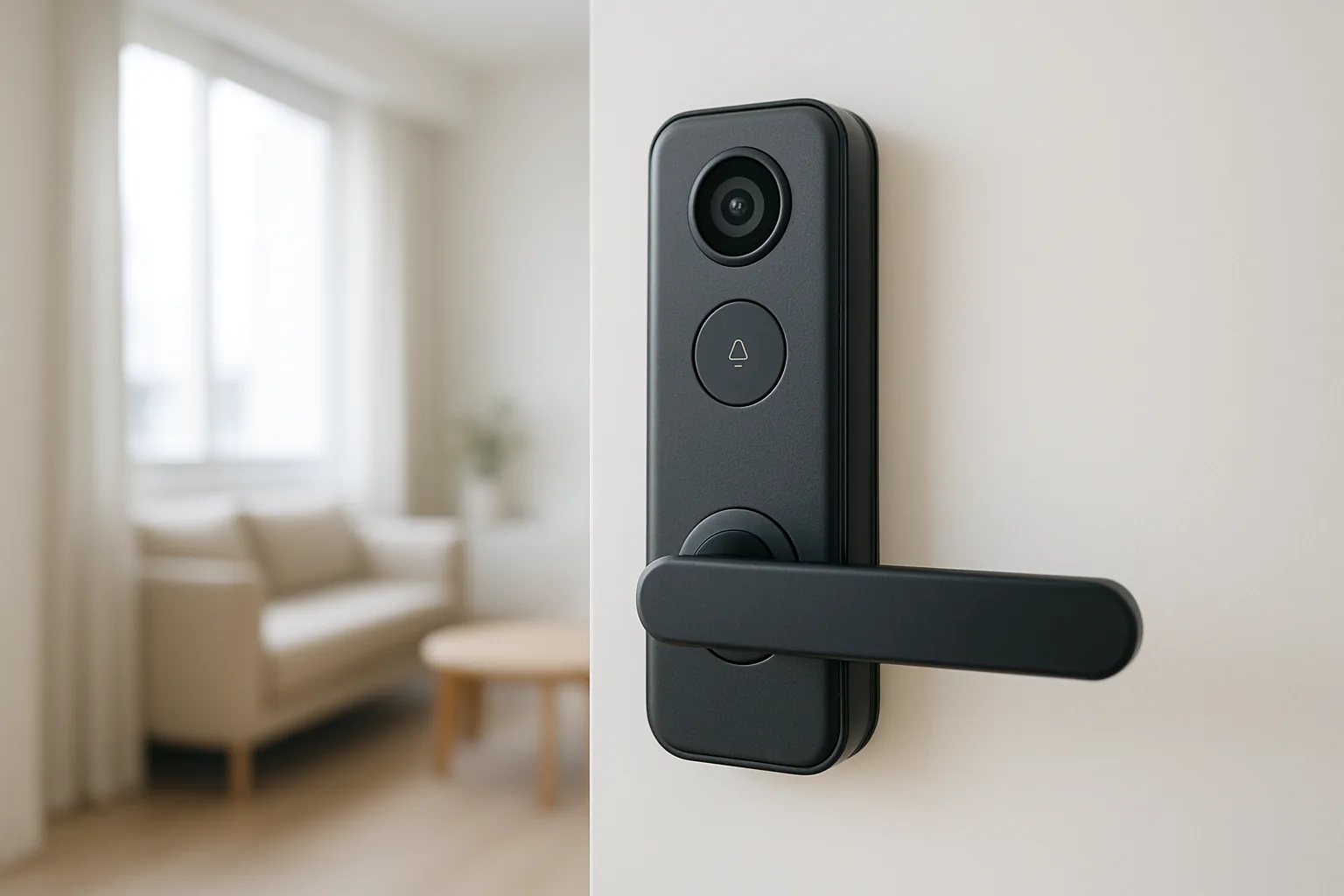
A smart doorbell lock combines two upgrades into one device: a digital lock for keyless entry and a built-in video doorbell or camera so you can see who is at your HDB or condo door before you open it. This guide covers the smart doorbell lock families and sensible lock-plus-doorbell pairings worth buying in Singapore, so you can unlock by fingerprint while still getting a clear view and two-way audio at the doorstep.
We wrote this for HDB and condo owners who want the convenience of one integrated unit, or a tidy pairing of a digital lock and a separate video doorbell. Our picks weigh video quality, unlock methods, fingerprint reliability in our humidity, door compatibility, storage costs, and the local installation and support that keep an all-in-one lock working reliably. We also weigh the tidy all-in-one route against pairing a separate lock and video doorbell, since the second option often saves money and lets you avoid subscription fees. And we cover the storage question honestly, because whether footage lives on a microSD card, a hub or a paid cloud plan changes the true long-term cost of the setup. Where a simple pairing beats a pricey combined unit on value and flexibility, we say so plainly instead of assuming newer and more integrated is always better.
What to look for in Singapore
- Whether you want a true all-in-one lock with a built-in camera, or a digital lock paired with a separate video doorbell — both are valid in Singapore.
- Clear video, ideally 2K, with a tall field of view so you can see visitors and any parcel on the floor.
- Multiple unlock methods (fingerprint, PIN, card, app and mechanical key) on the lock side.
- Local storage via microSD or a hub, so you avoid forced monthly cloud fees for doorbell footage.
- A reliable capacitive fingerprint sensor that reads with damp hands common in our humidity.
- Door compatibility — confirm the all-in-one unit fits your HDB fire-rated, condo timber or metal door.
- Reliable person detection, instant phone alerts and clear two-way audio for visitors and delivery riders.
- Professional installation and local warranty, since combined lock-and-camera units are more complex to fit.
At a glance
| Model | Best for | Key spec | Indicative price | Rating |
|---|---|---|---|---|
| Kaadas / Philips lock with camera — all-in-one | Overall integrated | Lock + camera, fingerprint | $700–$1,500 installed | ★★★★★ |
| Eufy lock + video doorbell pairing — no fees | Local storage combo | 2K doorbell, no fees | $400–$800 | ★★★★★ |
| Aqara lock + Doorbell G4 — smart-home fit | HomeKit homes | Lock + 1080p bell | $400–$900 | ★★★★☆ |
| Tapo lock + Video Doorbell — value combo | Budget pairing | 2K bell, microSD | $250–$600 | ★★★★☆ |
The picks
Editor’s Choice
Kaadas / Philips Smart Lock with Built-in Camera
The cleanest solution is an all-in-one digital lock with an integrated camera and doorbell, and Kaadas and Philips both offer models that unlock by fingerprint while showing you who is at the door. It is the tidiest, most seamless option for a Singapore front door.
Pros
- One integrated lock-and-camera unit
- Reliable fingerprint and multi-unlock
- Local brand support
Cons
- Premium fitted pricing
- Requires professional installation
Best no-fee combo
Eufy Lock + Video Doorbell Pairing
If you prefer proven components, pairing a smart lock with a Eufy video doorbell gives sharp 2K video and local storage with no monthly fees. It is a flexible, reliable route to the same see-and-unlock experience without a single fixed unit.
Pros
- No subscription, local storage
- Sharp 2K doorbell video
- Flexible component choice
Cons
- Two devices to install
- Lock chosen separately
Best for smart homes
Aqara Lock + Doorbell G4
For Apple Home and Aqara households, pairing an Aqara smart lock with the Doorbell G4 ties entry and visitor alerts into your wider automations. A neat, integrated smart-home experience with HomeKit support.
Pros
- Strong smart-home integration
- HomeKit Secure Video support
- Unified app experience
Cons
- 1080p doorbell rather than 2K
- Best value inside Apple Home
Best Value
Tapo Lock + Video Doorbell Pairing
Pairing a value smart lock with a Tapo video doorbell delivers 2K video and free local storage at the lowest cost, ideal for budget-conscious HDB homes. You manage the doorbell in the familiar Tapo app alongside any other Tapo devices.
Pros
- Very affordable pairing
- 2K video with free local storage
- Simple Tapo app
Cons
- Two separate devices
- Lock quality varies by choice
The verdict
For a seamless front door, an all-in-one Kaadas or Philips lock with a built-in camera is our pick; for no subscription fees and flexibility, pair a smart lock with a Eufy or Tapo video doorbell instead.
Frequently asked questions
What is a smart doorbell lock?
It is either an all-in-one digital lock with a built-in camera and doorbell, or a digital lock paired with a separate video doorbell. Both let you see and speak to visitors and unlock keylessly, giving you security and convenience at the front door.
Should I buy an all-in-one unit or a lock plus separate doorbell?
An all-in-one unit is tidiest and simplest, while a lock-plus-doorbell pairing lets you pick the best of each and often saves money. Choose all-in-one for a clean look, or separate components for flexibility and no subscription fees.
Can I fit a lock with a camera on a HDB fire-rated door?
Yes, using a model designed for fire-rated doors and fitted by a professional who preserves the fire rating and warranty. Confirm door compatibility with the retailer, as combined lock-and-camera units are bulkier than plain locks.
Do smart doorbell locks need a subscription?
It depends on the doorbell. Tapo and Eufy store footage locally with no monthly fees, while some cloud-first brands charge for recording history. Check the storage model before buying so you know the long-term running cost.
Is the video quality good enough to identify visitors?
Yes, on 2K models like Tapo and Eufy, which clearly show faces and parcels even in dim corridors. Choose a doorbell with a tall field of view so you can see visitors head to toe and packages left on the floor. Positioning matters as much as resolution: mount the unit at roughly chest height and angle it to capture the whole doorway, so faces are centred and not lost to glare from a bright corridor. If you choose an all-in-one lock with a built-in camera, check the camera height suits your household, since a fixed unit cannot be repositioned as freely as a separate doorbell can.
Related guides
Planning a smarter home?
Tell us your space and budget — we’ll point you to the right devices, or connect you with a supplier.

