Reviews are independent. Prices are indicative (SGD) and change often — always check the latest price before buying. We may earn a commission from some links.
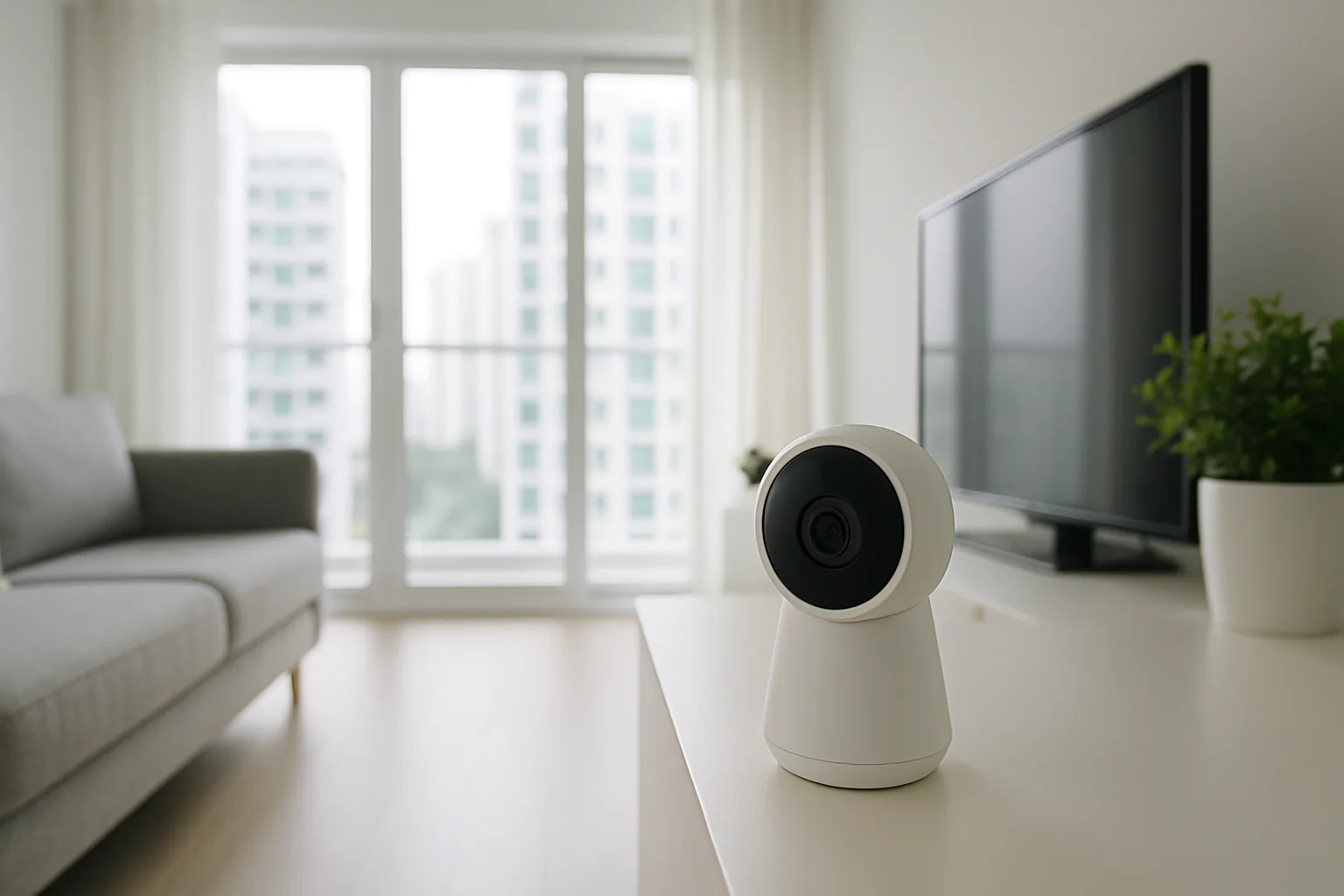
A smart camera is one of the easiest ways to add peace of mind to a Singapore home, letting you check on the front door, a helper, an elderly parent or pets from your phone anywhere. Whether you want an indoor camera for the living room or a weatherproof outdoor unit for the corridor or gate, this guide covers the best-value families sold in SG and how to pick one that suits HDB and condo living, our humidity and heat, and local privacy expectations.
This is for homeowners who want reliable monitoring without a complicated CCTV installation or a costly subscription. We compared the leading wireless CCTV camera brands available in Singapore on video quality, night vision, storage options, app reliability and value, so you can choose confidently whether you need one indoor camera or a small multi-camera setup. Our recommendations are independent, and the SGD prices are indicative ranges that change often, so check the latest price and any subscription terms before buying. We have also kept privacy front of mind, since where you point a camera matters as much as which one you choose.
What to look for in Singapore
- Indoor versus outdoor use, since a corridor or gate camera needs a weatherproof (IP-rated) body for our rain and humidity.
- At least 2K resolution and good night vision, so faces and number plates are legible in dim HDB corridors.
- Local storage via microSD versus cloud, and whether cloud recording needs a monthly subscription in SGD.
- A reliable app with fast notifications, since a laggy app makes real-time monitoring frustrating.
- Two-way audio and motion or person detection to cut false alerts from passing neighbours.
- Wi-Fi band support (2.4GHz is standard) and stable connection through HDB concrete walls.
- Privacy features like local encryption and a physical privacy shutter, important for indoor cameras.
- Voice-assistant support (Google Home, Alexa) and local warranty or reliable seller support in SG.
At a glance
| Model | Best for | Key spec | Indicative price | Rating |
|---|---|---|---|---|
| TP-Link Tapo C-Series — Editor’s Choice | Overall value | 2K, microSD, no forced sub | $30–$90 | ★★★★★ |
| Aqara Camera Hub Series | Smart-home integration | 2K, HomeKit, hub functions | $60–$150 | ★★★★½ |
| Xiaomi / Mi Smart Camera | Budget indoor | 2K, app control, low cost | $25–$70 | ★★★★ |
| Eufy Security Cam | Outdoor, no subscription | 2K/4K, local storage | $120–$300 | ★★★★½ |
| Google Nest Cam | Premium ecosystem | Smart alerts, Google Home | $180–$350 | ★★★★ |
The picks
Editor’s Choice
TP-Link Tapo C-Series
The Tapo range is the value champion for Singapore homes, offering sharp 2K footage, solid night vision and microSD recording with no forced subscription. There are indoor pan-tilt models and weatherproof outdoor options, making it easy to build an affordable setup.
Pros
- Excellent value
- Local microSD storage, no forced sub
- Indoor and outdoor models
Cons
- Cloud features are extra
- App design is functional not premium
Best for Smart-Home Integration
Aqara Camera Hub Series
Aqara cameras double as smart-home hubs, connecting your sensors and locks while streaming 2K video, and many support Apple HomeKit. Ideal if you are building an Aqara or HomeKit ecosystem and want the camera to earn its keep.
Pros
- Camera plus hub in one
- HomeKit support on many models
- Good for wider smart home
Cons
- Best value inside the Aqara ecosystem
- Outdoor options more limited
Best Budget Indoor
Xiaomi / Mi Smart Camera
Xiaomi’s smart cameras deliver 2K video and full app control at rock-bottom prices, perfect for a living-room or nursery camera. A great first camera if you just want to check in on pets or an elderly parent.
Pros
- Very affordable
- 2K resolution
- Simple app setup
Cons
- Mainly indoor use
- Cloud tied to Xiaomi ecosystem
Best Outdoor, No Subscription
Eufy Security Cam
Eufy focuses on local storage with no monthly fees, offering crisp 2K or 4K weatherproof cameras for the corridor, gate or balcony. Worth the higher outlay if you want outdoor coverage without ongoing subscription costs.
Pros
- No forced subscription
- Sharp outdoor footage
- Good local storage options
Cons
- Higher upfront price
- Some models need a HomeBase
Premium Ecosystem
Google Nest Cam
The Nest Cam is the polished pick for Google Home households, with smart person, animal and vehicle alerts and a clean app experience. It suits those already invested in Google’s ecosystem, though the best features and longer video history sit behind a Nest Aware subscription in Singapore.
Pros
- Smart, accurate alerts
- Slick Google Home integration
- Good build quality
Cons
- Best features need a subscription
- Pricier than Tapo or Xiaomi
The verdict
For most Singapore homes the TP-Link Tapo range offers the best mix of price, 2K clarity and subscription-free local storage, with Aqara ideal for smart-home integration and Eufy for subscription-free outdoor coverage. Match indoor or outdoor use to your needs and mind corridor privacy rules.
Frequently asked questions
Are smart cameras allowed in HDB corridors in Singapore?
You can install a camera at your own unit, but pointing one into shared corridors can raise privacy concerns and may need town council approval, so keep the field of view mainly on your own door and property. Check your town council’s guidelines before mounting an outdoor camera in a common area.
Do I need a subscription for a smart camera in Singapore?
Not necessarily, as brands like Tapo and Eufy support local microSD or base-station storage with no monthly fee, so you only pay a subscription if you want cloud recording. For most homeowners, local storage covers everyday monitoring without ongoing cost.
Which smart camera is best for watching an elderly parent or helper?
An indoor pan-tilt camera like the Tapo or Xiaomi works well, with two-way audio so you can talk and 2K clarity to see the room. Look for person detection to reduce false alerts and a privacy shutter for times you want it off.
Will a smart camera work through HDB concrete walls on Wi-Fi?
Most cameras use 2.4GHz Wi-Fi, which penetrates walls better than 5GHz, but thick HDB concrete can still weaken the signal, so place your router centrally or add a mesh node. A stable connection matters more than raw resolution for reliable alerts.
How much internet speed and storage do I need for a smart camera?
A single 2K camera streams comfortably on a normal Singapore home broadband plan, and adding a few more only matters if you view many live feeds at once. For local recording, a 64GB to 256GB microSD card holds days to weeks of footage depending on resolution and motion-only settings. Using motion-triggered recording instead of continuous recording stretches both storage and bandwidth much further.
Related guides
Planning a smarter home?
Tell us your space and budget — we’ll point you to the right devices, or connect you with a supplier.