Reviews are independent. Prices are indicative (SGD) and change often — always check the latest price before buying. We may earn a commission from some links.
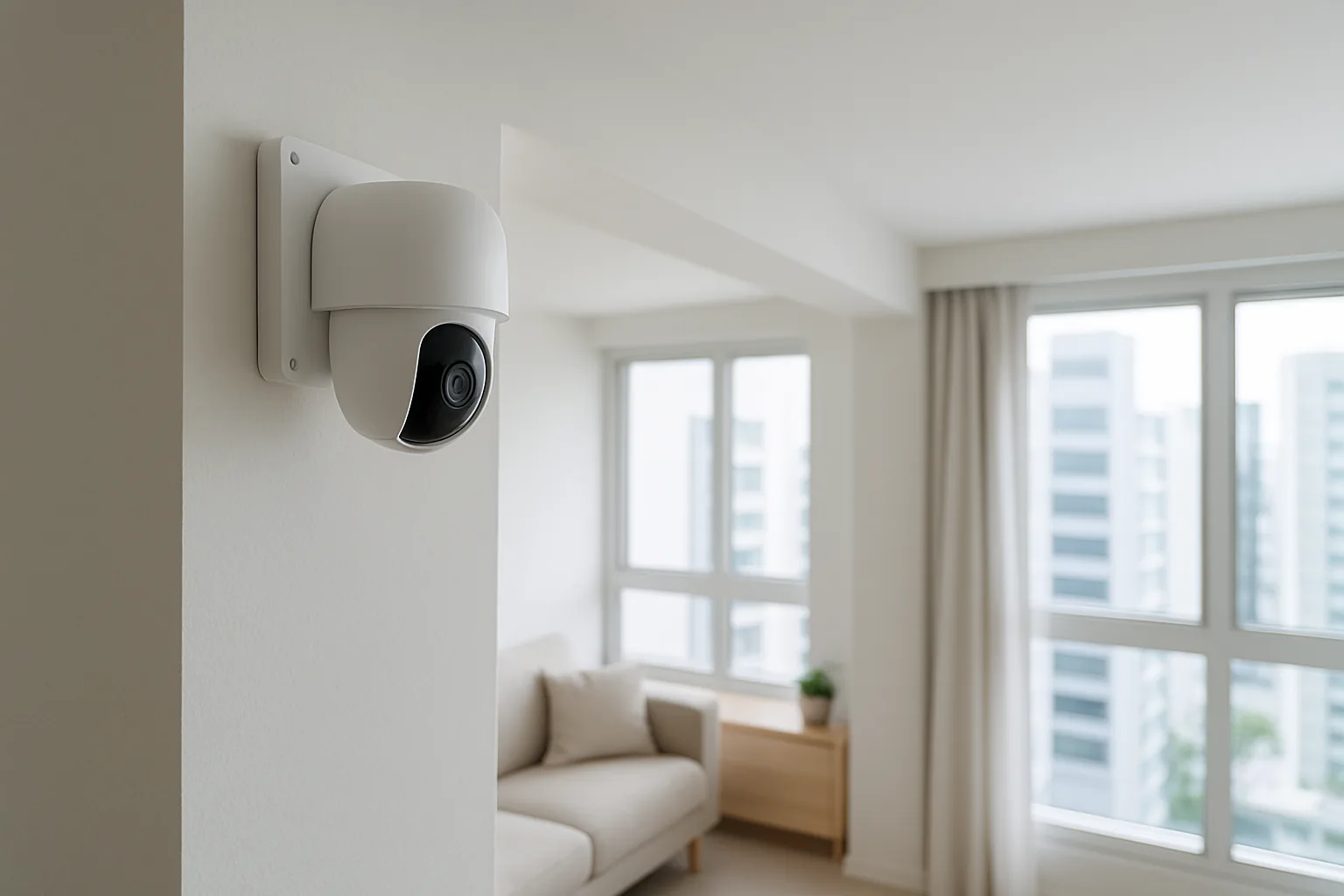
Security camera installation in Singapore ranges from a five-minute DIY plug-in indoors to a professionally wired outdoor or gate system, and getting it right depends on your home type, power access, and whether you’re an HDB or condo resident. This guide walks through the cameras SG homeowners actually install, the rules to keep in mind, and when to call a professional versus doing it yourself so you don’t waste money or fall foul of common-area restrictions.
This guide is for HDB and condo owners who want a clear, honest view of what to buy and how to set it up legally and effectively. We chose picks based on local availability, ease of self-installation, weatherproofing for our rain and humidity, local versus subscription storage, and SGD value — and we flag where professional installation or town-council and MCST approval matters, since you generally can’t drill into common corridors or external walls freely. The right approach is usually the simplest one that covers your own space well.
What to look for in Singapore
- Indoor versus outdoor: choose an IP-rated weatherproof model for balconies, gates or car porches, and a simpler unit for indoors.
- Power and wiring: battery and solar cameras avoid drilling for power, while wired models need a nearby socket or a professional to run cabling.
- HDB and MCST rules: cameras generally must point at your own unit, not shared corridors or neighbours, so check town-council or MCST rules before mounting anything outside.
- Storage: decide between free local microSD or NAS storage and optional cloud subscriptions for off-site backup.
- Night vision and resolution: 2K or higher with good low-light performance helps you identify faces at your doorstep after dark.
- Connectivity and app: ensure reliable Wi-Fi coverage at the camera’s spot, plus a stable app with alerts and two-way talk.
- Privacy and data: prefer brands with local storage and strong encryption if you’re wary of how cloud footage is handled.
- Local warranty and support: buy locally supported units so servicing and replacements are straightforward if something fails.
At a glance
| Model | Best for | Key spec | Indicative price | Rating |
|---|---|---|---|---|
| TP-Link Tapo cameras | Overall DIY value | 2K, local + cloud, easy setup | $40–$120 | ★★★★½ |
| eufy Security cameras (battery/solar) | No-subscription outdoor | Local storage, wire-free | $150–$400 | ★★★★½ |
| Aqara Camera Hub | Ecosystem + hub-in-one | Doubles as Zigbee hub, HomeKit | $70–$180 | ★★★★ |
| Reolink wired / PoE system | Whole-home wired install | 4K, NVR, pro-grade | $300–$900 | ★★★★½ |
| Xiaomi Smart Camera C series | Budget indoor | 2K, pan/tilt, local + cloud | $40–$90 | ★★★★ |
The picks
Editor’s Choice
TP-Link Tapo cameras
The easiest, best-value DIY option for most SG homes: sharp 2K indoor and outdoor cameras that set up in minutes, store locally on microSD, and offer optional cloud. They’re ideal for renters and owners who want reliable coverage without paying for an installer, and the app is genuinely simple to use.
Pros
- Very easy self-install
- Local + optional cloud storage
- Excellent price
Cons
- Outdoor models still need power
- Wi-Fi dependent
Best no-subscription outdoor
eufy Security cameras (battery/solar)
Wire-free battery or solar cameras that avoid drilling for power and store footage locally with no forced subscription — great for condo balconies and landed gates. They’re simple to mount yourself where the rules allow, and the local storage keeps your footage private and free.
Pros
- Wire-free, easy placement
- Local storage, no mandatory fee
- Weatherproof options
Cons
- Battery recharging needed
- Higher upfront cost
Best for smart-home users
Aqara Camera Hub
A camera that doubles as an Aqara Zigbee hub, so it monitors your home and connects your sensors and lights at the same time. It’s a neat pick if you’re already in the Aqara or Apple Home ecosystem and want to avoid buying a separate hub and camera.
Pros
- Camera + Zigbee hub in one
- HomeKit support
- Good for existing Aqara homes
Cons
- Mostly indoor focus
- Ties you to the ecosystem
Best wired system
Reolink wired / PoE system
For landed homes or anyone wanting a permanent, always-powered multi-camera system with an NVR, Reolink’s wired and PoE kits are pro-grade and reliable. This is where professional installation earns its keep, delivering tidy cabling and rock-solid coverage that never runs out of battery.
Pros
- Always-on wired reliability
- High-res, NVR storage
- Great multi-camera coverage
Cons
- Needs professional cabling
- Higher cost and complexity
Best budget indoor
Xiaomi Smart Camera C series
A cheap, dependable 2K pan-and-tilt camera for indoor monitoring of pets, kids or a helper, with local and optional cloud storage. It’s an easy DIY plug-in that ties into the Xiaomi ecosystem, making it a low-cost way to add an extra pair of eyes indoors.
Pros
- Very affordable
- 2K pan/tilt coverage
- Easy self-install
Cons
- Indoor use only
- App region setup needed
The verdict
For most Singapore homes, self-install TP-Link Tapo cameras for the best value, or wire-free eufy units for subscription-free outdoor coverage; step up to a professionally installed Reolink PoE system only if you want a permanent, always-powered multi-camera setup.
Frequently asked questions
Can I install a security camera in my HDB corridor?
Generally cameras must monitor your own unit and not point at shared corridors or neighbours’ doors. Mounting on common property usually needs town-council approval, and privacy considerations apply — check the rules first, and a professional can advise on compliant placement so you don’t run into complaints later.
Do I need professional installation or can I DIY?
Plug-in indoor cameras and battery or solar outdoor cameras like Tapo or eufy are easy DIY jobs anyone can handle. You’ll want a professional for wired PoE systems, tidy cabling, or any drilling into external or common-area walls that requires approval and proper waterproofing.
Do security cameras need a monthly subscription in Singapore?
Not necessarily — Tapo, Xiaomi and eufy support local microSD or on-device storage with no mandatory fee, and you can add optional cloud plans for off-site backup. Choose local storage if you want to avoid recurring costs and keep footage in your own hands.
Which security camera is best for a condo balcony?
A weatherproof, wire-free battery or solar camera such as eufy is ideal since it avoids running power outside, but check your MCST rules on external installations and ensure it faces your own space, not neighbours. A discreet placement usually avoids objections.
How much does security camera installation cost in Singapore?
DIY cameras cost only the price of the device, while professional installation of a wired multi-camera system adds labour and cabling that scale with the number of cameras and complexity. Get quotes and confirm any approvals needed before committing, especially for external or common-area work.
Related guides
Planning a smarter home?
Tell us your space and budget — we’ll point you to the right devices, or connect you with a supplier.