Reviews are independent. Prices are indicative (SGD) and change often — always check the latest price before buying. We may earn a commission from some links.
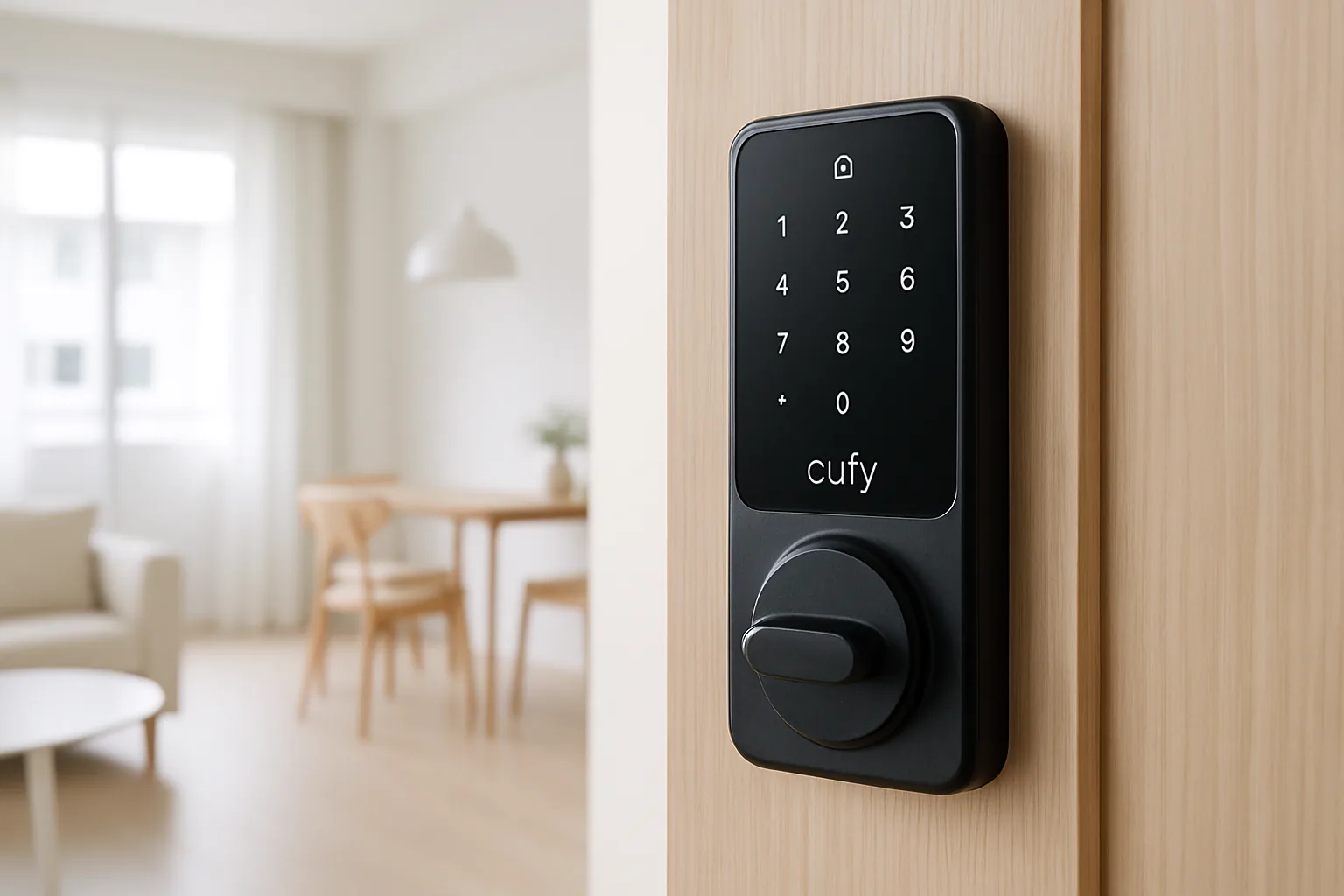
A eufy smart lock is one of the more compelling ways to add fingerprint and app entry to a Singapore home without paying premium digital-lock money, and eufy’s range spans slim fingerprint deadbolts to full video-equipped locks. Backed by Anker, eufy has built a solid SG following for locks that unlock in under a second and store data locally rather than hiding features behind a monthly subscription, which appeals to privacy-conscious homeowners.
This guide is for HDB and condo owners weighing eufy against the likes of Yale, Kaadas and Aqara. We chose picks based on genuine SG availability, HDB main-door and retrofit fitment, whether Wi-Fi is built in or needs a bridge, no-subscription local storage for the video models, backup access in a power failure, and SGD value across authorised sellers and marketplaces. We’ve leaned toward models that are easy to live with day to day, not just impressive on paper.
What to look for in Singapore
- Door compatibility: check whether you need a deadbolt-style, rim or push-pull lock for your HDB or condo door before buying, as fitment varies widely.
- Connectivity: some eufy locks have built-in Wi-Fi while others need a bridge or a eufy HomeBase for remote unlocking and alerts.
- Entry methods: look for fast fingerprint plus PIN and app unlock so everyone in the household has a reliable fallback.
- Local storage versus subscription: eufy’s video locks favour local storage, so confirm there’s no mandatory cloud fee for the features you actually want.
- Backup power and key: verify an emergency USB power option and, where offered, a mechanical key override for flat-battery days.
- Weatherproofing: for a gate or exposed lift-lobby door, check the IP rating against SG rain and humidity so it holds up outdoors.
- Platform support: confirm Google Home, Alexa or Apple Home if you want voice status checks and automations.
- Local warranty: buy through an authorised SG channel so servicing and Anker’s warranty are properly covered.
At a glance
| Model | Best for | Key spec | Indicative price | Rating |
|---|---|---|---|---|
| eufy Smart Lock C220 | Overall | Fingerprint + PIN + app, built-in Wi-Fi | $180–$300 | ★★★★½ |
| eufy Video Smart Lock S330 | See-who’s-there | Built-in camera + fingerprint | $450–$650 | ★★★★½ |
| eufy Smart Lock C210 | Value fingerprint | Fingerprint + PIN, bridge for remote | $150–$250 | ★★★★ |
| eufy FamiLock S3 Max | Premium palm-vein | Palm vein + face + fingerprint | $600–$900 | ★★★★½ |
| eufy Smart Lock Touch & Wi-Fi | Established all-rounder | Fingerprint + app, weatherproof | $250–$400 | ★★★★ |
The picks
Editor’s Choice
eufy Smart Lock C220
The best-value entry for most SG homes: fast fingerprint, PIN and app unlock with built-in Wi-Fi, so you get remote control without a separate bridge. It’s slim, reliable and priced well below premium digital locks, making it the easiest recommendation for a first smart lock.
Pros
- Built-in Wi-Fi, no bridge
- Sub-second fingerprint
- Great price-to-feature ratio
Cons
- Deadbolt style may not suit all HDB doors
- Fewer premium extras
Best with camera
eufy Video Smart Lock S330
Combines a smart lock and a doorbell-style camera in one unit, so you can see and speak to whoever’s at the door and unlock remotely. Local storage means no forced subscription for the core features, and having the lock and camera in a single device keeps your door hardware tidy.
Pros
- Lock + camera in one
- Local storage, no mandatory fee
- Two-way talk and fingerprint
Cons
- Higher price
- Bulkier fitment to check
Best Value
eufy Smart Lock C210
A cheaper fingerprint-and-PIN lock that covers the essentials for budget-focused homes, with remote features available when paired to a eufy bridge. It delivers solid everyday performance at an accessible price, making it a great starter smart lock for renters and first-timers.
Pros
- Low price
- Reliable fingerprint + PIN
- Good starter smart lock
Cons
- Needs bridge for remote unlock
- No built-in Wi-Fi
Premium
eufy FamiLock S3 Max
eufy’s flagship adds palm-vein and face recognition on top of fingerprint and PIN, aimed at homeowners who want the fastest, most futuristic entry. It’s priced at the top end but genuinely feature-packed, and the palm-vein reader is a slick, hygienic way to unlock hands-free.
Pros
- Palm-vein + face + fingerprint
- Very fast recognition
- Premium build and features
Cons
- Expensive
- May be overkill for simple needs
Best established all-rounder
eufy Smart Lock Touch & Wi-Fi
A proven, weather-tolerant fingerprint lock with app control that has been a reliable seller for years. It’s a dependable middle-ground choice for homeowners who want a track record of reliability plus remote access without jumping to the premium flagship.
Pros
- Proven reliability
- Weather-tolerant build
- Fingerprint + app control
Cons
- Older design than newer C-series
- Check exact door fit
The verdict
For most Singapore homes the eufy Smart Lock C220 is the value sweet spot with built-in Wi-Fi; step up to the Video Smart Lock S330 if you want a camera at the door, or the FamiLock S3 Max for flagship palm-vein entry.
Frequently asked questions
Do eufy smart locks work in HDB flats in Singapore?
Yes, eufy locks are used across HDB and condo homes, but fitment depends on your door type and thickness. Deadbolt-style models suit doors that accept them, while you should check push-pull or rim needs for HDB fire doors — buy from an SG seller who can confirm compatibility before you order.
Do eufy locks need a subscription?
There’s no mandatory subscription for core locking, and eufy’s video locks lean on local storage rather than forced cloud fees. Optional cloud plans exist for extended video storage, but you can use the main features without paying monthly, which is a big draw versus some rivals.
Does a eufy lock have Wi-Fi for remote unlocking?
Some models like the C220 have built-in Wi-Fi, while others such as the C210 need a eufy bridge or HomeBase for remote unlock and alerts. If away-from-home control matters, pick a built-in Wi-Fi model or budget for the bridge from the start.
What happens if the eufy lock runs out of battery?
eufy locks send low-battery warnings and include emergency options — typically a USB port to power the keypad temporarily and, on most models, a mechanical key backup. You won’t be locked out if you heed the alerts and recharge or replace the batteries promptly.
Is eufy better than Yale or Kaadas in Singapore?
eufy usually wins on price and no-subscription local storage, while Yale and Kaadas have deeper local installer networks and more push-pull main-door options. Choose eufy for value and privacy; consider Yale or Kaadas if you want extensive local servicing and premium door hardware.
Related guides
Planning a smarter home?
Tell us your space and budget — we’ll point you to the right devices, or connect you with a supplier.

