Reviews are independent. Prices are indicative (SGD) and change often — always check the latest price before buying. We may earn a commission from some links.
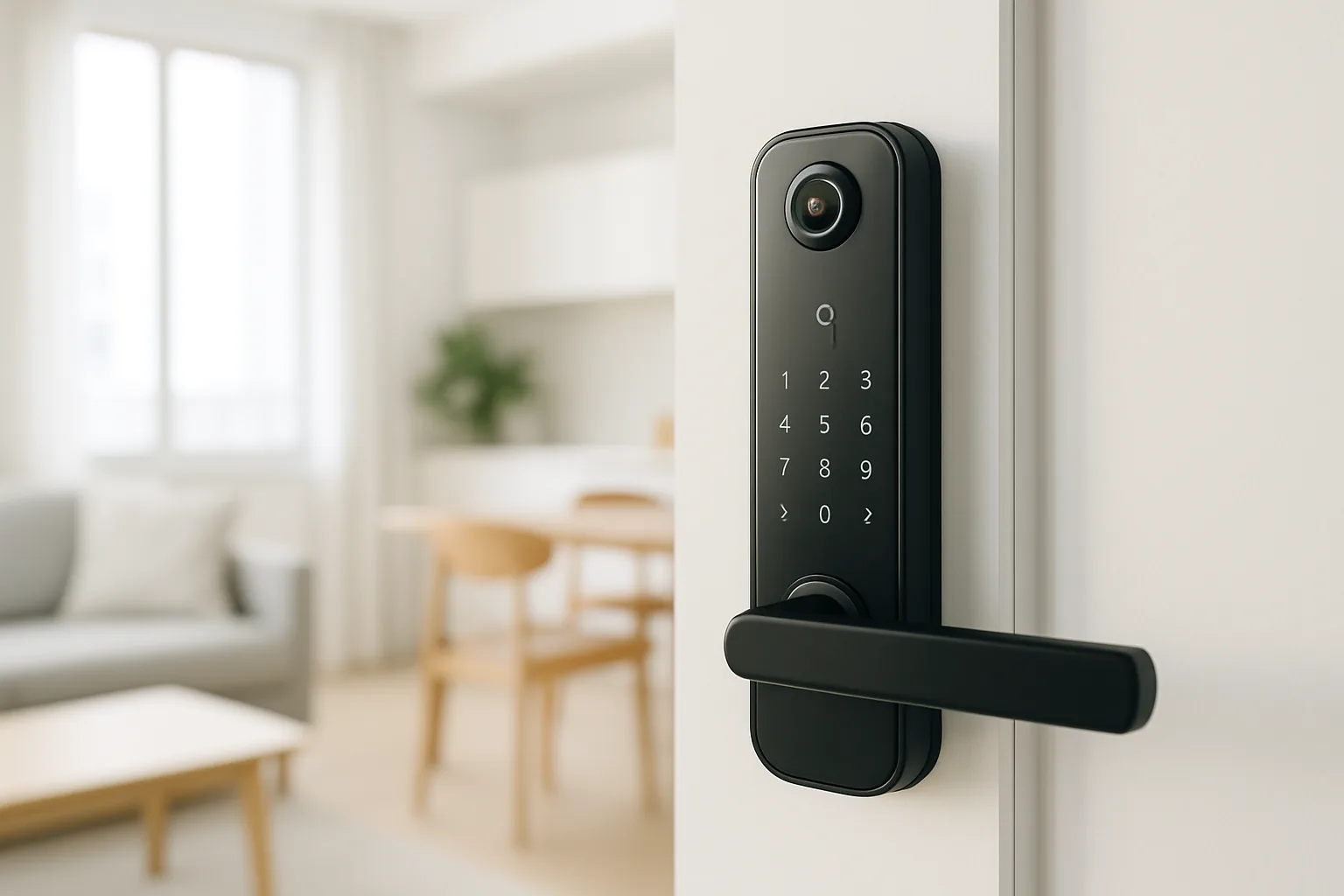
A digital smart lock with camera rolls two upgrades into one for a Singapore home: keyless entry plus a built-in view of whoever is at your door, so you can check deliveries, visitors and that neighbour’s cat from your phone. These locks add a camera to the lock body or peephole, capture snapshots or clips when motion or a doorbell press is detected, and pair with an app so you never miss who came by. This guide covers the camera-equipped digital locks worth buying here and how to pick the right one for your HDB or condo entrance.
We put this together for homeowners who want the security of seeing their door without wiring up a separate CCTV or video doorbell. Our picks focus on brands with real local support and firmware you can trust, since a lock with a camera is only as good as its app and reliability. We weigh camera quality and field of view, night vision for dim HDB corridors, how the camera affects battery life, storage options, and the everyday lock fundamentals of fingerprint, PIN and key backup.
What to look for in Singapore
- Camera placement and field of view: a wide-angle lens that captures a person head-to-toe at a HDB doorway is far more useful than a narrow peephole view.
- Night vision quality: HDB corridors and lift lobbies can be dim, so infrared or low-light night vision matters for clear footage after dark.
- Motion detection and alerts: the lock should snap a photo or clip and push an alert when someone lingers at your door, not just when they touch it.
- Battery impact of the camera: cameras draw more power, so check real-world battery life and whether there is an emergency power backup.
- Storage options: understand whether footage is stored on the device, on a microSD card, or in a cloud plan that may carry a subscription fee.
- Local warranty and installer support: a camera lock is more complex, so a strong SG service network keeps installation and repairs painless.
- Core lock reliability: fingerprint, PIN, card and key backup with a mechanical override still matter as much as the camera itself.
- App, Wi-Fi and privacy: confirm stable 2.4GHz Wi-Fi, a trustworthy app, and that footage handling meets your privacy comfort level.
At a glance
| Model | Best for | Key spec | Indicative price | Rating |
|---|---|---|---|---|
| Kaadas camera lock range — Editor’s Choice | Overall camera lock | Built-in camera, multi-unlock, strong build | $900–$1,600 | ★★★★★ |
| Philips digital lock with peephole camera — Premium | Premium door view | Wide-angle camera, solid firmware | $800–$1,500 | ★★★★☆ |
| Aqara Smart Lock (with camera model) — Best for smart homes | HomeKit / ecosystem users | App alerts, ecosystem integration | $500–$900 | ★★★★☆ |
| Yale digital lock with camera — Best all-rounder | Reliable everyday use | Camera plus proven lock fundamentals | $700–$1,300 | ★★★★☆ |
The picks
Editor’s Choice
Kaadas camera lock range
Kaadas offers some of the more polished camera-equipped digital locks sold here, combining a built-in door camera with multiple unlock methods and a robust body. Its higher-end models capture visitors clearly and push alerts to the app, while keeping the lock fundamentals solid. If you want the camera-lock experience done well, Kaadas is our lead pick, bought through an authorised SG dealer.
Pros
- Clear built-in camera with alerts
- Multiple unlock methods
- Robust, well-built body
Cons
- Premium pricing
- Camera use shortens battery life
Premium
Philips digital lock with peephole camera
Philips’ camera-equipped models add a wide-angle door view to a dependable lock platform, backed by a trusted brand and local presence. The wider field of view captures more of your doorway, and the firmware is stable in daily use. A strong premium choice for buyers who want a recognisable name behind the camera.
Pros
- Wide-angle door view
- Trusted brand with local support
- Stable everyday firmware
Cons
- Higher price bracket
- Model features vary, so check the exact unit
Best for smart homes
Aqara Smart Lock (camera-capable model)
If you already run an Aqara or Apple Home setup, an Aqara smart lock ties door alerts and camera snapshots into your wider ecosystem, letting automations react when someone arrives. It is more affordable than the flagship camera locks and integrates neatly with sensors and cameras you may already own. Best for smart-home enthusiasts rather than plug-and-play buyers.
Pros
- Integrates with smart-home ecosystem
- More affordable entry
- Automations on arrival
Cons
- Best value only within the ecosystem
- Setup is more involved
Best all-rounder
Yale digital lock with camera
Yale’s camera-equipped locks pair a door camera with the brand’s proven reliability and wide local installer network, so you get the visitor view without gambling on obscure firmware. It is a sensible middle path for buyers who value dependable after-sales support. A safe all-rounder for most SG entrances.
Pros
- Proven lock fundamentals
- Strong local support network
- Reliable everyday operation
Cons
- Camera specs trail dedicated flagships
- Premium models cost more
The verdict
For most Singapore homes a Kaadas camera lock is the best-rounded pick, with Yale the safe choice for reliability and Aqara the value option if you already run a smart-home ecosystem.
Frequently asked questions
Are digital locks with a camera worth it in Singapore?
They are if you want to see who is at your door without installing a separate video doorbell or CCTV. The camera captures deliveries and visitors and pushes alerts to your phone, which is handy in a HDB flat where you cannot always hear the corridor.
Does the camera drain the lock battery faster?
Yes, cameras and motion detection use more power than a plain lock, so expect shorter battery life and more frequent recharges or changes. Look for a model with a low-battery warning and an emergency power backup so you are never caught out.
Where is the footage stored?
It varies by model. Some store clips on the device or a microSD card, while others use a cloud plan that may require a subscription. Check the storage method and any recurring fees before buying, and consider your privacy preferences.
Do camera locks work in dark HDB corridors?
Models with infrared or low-light night vision produce usable footage in dim corridors and lift lobbies. If your doorway is poorly lit, prioritise a lock that explicitly lists night vision.
Can I still use fingerprint and PIN, not just the camera?
Yes. These are full digital locks first, so you still get fingerprint, PIN, card and physical key backup. The camera is an added layer, not a replacement for the core unlock methods.
Related guides
- More Smart Home guides
- Best Smart Lock Battery in Singapore
- Best Deadbolt Smart Lock Market in Singapore
Planning a smarter home?
Tell us your space and budget — we’ll point you to the right devices, or connect you with a supplier.

