Reviews are independent. Prices are indicative (SGD) and change often — always check the latest price before buying. We may earn a commission from some links.
The Aqara Smart Door Lock U100 has become a popular pick among Singapore smart-home enthusiasts thanks to its blend of fingerprint, PIN, card and app entry with genuine Apple Home and Google integration. If you are weighing the U100, it helps to see how it sits within Aqara’s wider lock lineup, so you choose the model that matches your door and your smart-home platform. This guide covers the Aqara U100 and its key siblings available in Singapore, what they cost in SGD, and which one is right for your flat.
We centred this roundup on Aqara’s own lock range, comparing the U-series and related models on entry methods, smart-home compatibility, door fit and everyday reliability in local conditions. Our picks help you decide whether the U100 is the sweet spot or whether a step up or down suits you better. If you are already invested in Aqara sensors and lights, staying within the ecosystem keeps automations and the app experience seamless.
What to look for in Singapore
- Smart-home platform fit — confirm the model supports the platform you use, as Aqara locks vary in Apple Home, Google and Matter support.
- Door type and thickness compatibility, since Aqara offers deadbolt-style and other formats that suit different HDB and condo doors, so check your door before buying.
- Unlock methods you will use daily, such as fingerprint, PIN, NFC card, app and, on some models, Apple home key via your phone or watch.
- Whether a hub is needed for remote features, because many Aqara devices rely on an Aqara hub for remote access and richer automations.
- Battery life and emergency power, with low-battery alerts and a backup terminal so you are never locked out.
- Fingerprint speed and reliability, the daily deal-breaker that separates a pleasant lock from a frustrating one.
- Local warranty and installation, so the lock is fitted correctly on your door type and you have support if needed.
- Integration with your existing Aqara sensors and lights, letting unlocking trigger scenes like turning on lights when you arrive home.
At a glance
| Model | Best for | Key spec | Indicative price | Rating |
|---|---|---|---|---|
| Aqara Smart Lock U100 — Editor’s Choice | Apple Home users | Fingerprint, Apple home key | $300–$500 | ★★★★★ |
| Aqara Smart Lock U200 — Best for retrofits | Existing deadbolts | Retrofit-friendly, Matter | $300–$500 | ★★★★½ |
| Aqara Smart Lock U300 — Best premium | Full-featured entry | Advanced entry, integrations | $400–$650 | ★★★★ |
| Aqara Smart Lock U50 — Best value | Budget smart entry | Core features, affordable | $200–$350 | ★★★★ |
The picks
Editor’s Choice
Aqara Smart Lock U100
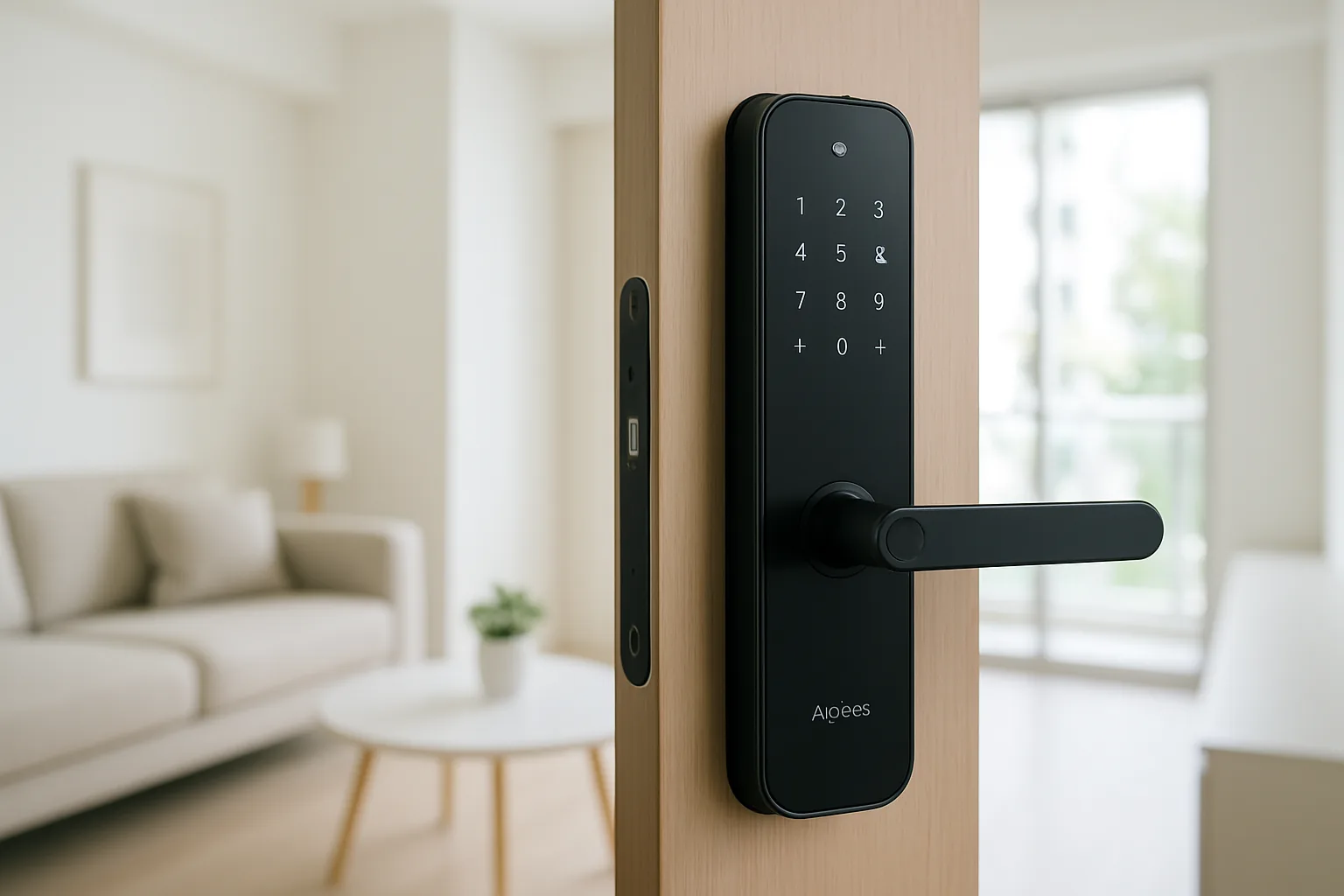
The U100 is the standout in Aqara’s lineup for Apple Home households, supporting Apple home key so you can unlock with a phone or watch tap, alongside fingerprint, PIN and card entry. It integrates cleanly with Aqara sensors and lights for arrival scenes and keeps a useful access log. A polished, app-first lock for smart-home fans.
Pros
- Apple home key plus fingerprint and PIN
- Deep Aqara ecosystem integration
- Clear access logs and app control
Cons
- Needs a hub for remote features
- Check door compatibility before buying
Best for Retrofits
Aqara Smart Lock U200
The U200 is designed to work with existing deadbolt setups and adds Matter support for broad compatibility, making it a flexible choice if you want to upgrade without fully replacing your lock hardware. It keeps the familiar Aqara app experience and multiple entry methods. A smart option where retrofit convenience matters.
Pros
- Retrofit-friendly design
- Matter support for broad compatibility
- Familiar Aqara app and entry options
Cons
- Fit depends on your existing lock
- Hub needed for full remote features
Best Premium
Aqara Smart Lock U300
The U300 sits at the higher end of Aqara’s range with advanced entry options and strong integrations for those who want the most capable model in the family. It suits users who value a fuller feature set and deeper automation. Best where you want to future-proof within the Aqara ecosystem.
Pros
- Advanced entry and features
- Strong smart-home integrations
- Future-proof within Aqara
Cons
- Higher price than the U100
- Confirm platform and door fit
Best Value
Aqara Smart Lock U50
The U50 covers the core Aqara lock experience — fingerprint, PIN and app entry with ecosystem integration — at a more affordable price. It is a sensible entry point for those who want Aqara reliability without the flagship extras. Good value for a first smart lock in an Aqara home.
Pros
- Core smart-lock features
- Affordable entry point
- Integrates with Aqara devices
Cons
- Fewer premium features
- May need a hub for remote access
The verdict
The Aqara Smart Lock U100 is the standout choice for Apple Home users in Singapore, while the U200 suits retrofits and the U50 is the value entry into Aqara’s smart-lock range.
Frequently asked questions
Is the Aqara U100 worth it in Singapore?
If you use Apple Home, the U100 is excellent because it supports Apple home key alongside fingerprint and PIN, and it ties into Aqara sensors and lights. Confirm your door type is compatible and that you have or will add an Aqara hub for remote features.
Does the Aqara U100 work with Apple Home and Google?
The U100 offers strong Apple Home integration including home key, and Aqara locks generally support Google as well, often via a hub. Check the exact model listing to confirm the platforms you need.
Do I need an Aqara hub for the U100?
For remote unlocking, notifications and richer automations you will typically need an Aqara hub. Local entry via fingerprint, PIN and card works without one, but you lose the remote features.
Which Aqara lock fits an HDB door?
Compatibility depends on your door and existing hardware, so check the specific model’s fitting requirements before buying. Professional installation ensures the lock is mounted correctly on an HDB fire-rated door.
How is the U100 battery life?
Aqara locks typically run for months on a set of batteries and warn you well before they run flat, with a backup power option. Heed the low-battery alerts and keep spares to avoid being locked out.
Related guides
- More Smart Home guides
- Best Smart Lock Battery in Singapore
- Best Deadbolt Smart Lock Market in Singapore
Planning a smarter home?
Tell us your space and budget — we’ll point you to the right devices, or connect you with a supplier.

